
TL;DR: Best Online Coaching Platforms I’ve Tested (2026)
An online coaching platform runs the business side of coaching in one place, from booking and contracts to payments, session notes, and client progress, so you spend your time coaching instead of chasing admin.
Here’s a quick snapshot of the platforms I recommend.
Upcoach – Best overall for framework-driven programs, cohorts, and client accountability
Zenler – Best value all-in-one for coaching and courses, with 1:1 bookings and built-in live sessions
Delenta – Best for group programs and multi-coach teams
Podia – Best budget option for coaching plus courses, downloads, and email
Kajabi – Best all-in-one for coaches selling to an audience alongside courses and memberships
Coaches Console – Best done-for-you back office with marketing tools and 1:1 support
Paperbell – Best for solo coaches who want a website, booking, contracts, and payments in one flow
Satori – Best value for lean 1:1 practices built on recurring sessions
CoachAccountable – Best for metric-driven coaching and long-term goal tracking
CoachVantage – Best for coaches who want built-in video calls without Zoom
Simply.Coach – Best for executive and corporate coaching with sponsors and stakeholders
Simplero – Best for combining coaching with funnels, email, and SMS automation
Just starting out with your first few clients? The free-tool setup at the end of this guide covers bookings, calls, notes, and payments without a subscription.
How We Evaluate and Test Software & Platforms
Reviews of platforms on the Learning Revolution site are overseen by the site’s founder, Jeff Cobb, an e-learning industry expert with more than 20 years of experience working with online course and related platforms. All evaluations are conducted by a team of analysts who have extensive experience using, testing, and writing about these types of platforms. We dedicate numerous hours to researching each platform, ensuring each aligns with the needs of online course sellers, and vetting specific areas like core features, usability, pricing, and customer satisfaction. Our reviews are unbiased, and while we will participate in affiliate programs, if available, we do not accept payment for placement in our articles or links to external websites.
Comparison Of The Best Online Coaching Platforms
| Tool | My Rating | Best For | Session Delivery | Progress Tracking | Entry Price (billed monthly) |
| Upcoach | 9.2 | Framework-driven programs, cohorts, accountability | Zoom, Meet, or Teams links | Check-ins, tasks, worksheets, AI insights | $59/mo + 2% fee |
| Delenta | 8.9 | Group programs, teams, coaching CRM | Group video sessions, Zoom, Meet, Teams | Tasks, sessions, goals | $29/mo |
| Coaches Console | 7.5 | Admin-heavy solo coaches | External links or manual | Notes, forms, CRM | $197/mo |
| Paperbell | 8.2 | Simple 1:1 and group delivery | Zoom and Meet integration | Notes, history, forms | $97/mo |
| Satori | 8 | Lean solo coaches with live sessions | Google/Zoom links | Forms, notes, sessions | $39/mo |
| CoachAccountable | 8.7 | Structured, metric-driven coaching | Zoom, Teams, Meet integrations | Action items, metrics, notes | $20/mo (2 clients) |
| CoachVantage | 8.5 | Streamlined solo coaching | Built-in CV Meet (8 to 16 hrs/mo) | Resources, session tracking | $39/mo |
| Simply.Coach | 8.8 | Executive or leadership coaching | Zoom, Teams, Meet, Webex | Goals, stakeholder feedback | $19/mo (3 clients) |
| Simplero | 8.6 | Scaling coaching + marketing | Built-in sessions + automation | Forms, custom flows | $70/mo |
| Kajabi | 8 | Audience builders adding coaching | Built-in video | Session progress, agendas, and notes | $179/mo |
| Podia | 7.5 | Coaching + courses on a budget | Embed external tools | None | $49/mo + 5% fee |
| Zenler | 7.9 | Coaching + courses with live sessions on a budget | Built-in Zoom for 1:1 bookings and group cohorts | Course progress only, no client goals | $57/mo, no transaction fees |
Most of these tools charge less per month on yearly billing. Each section below lists both prices.
Which Coaching Platform Should You Choose?
Find the row that matches how you coach, then read that platform’s review below before you commit.
| If you want to… | Choose | Why it fits | Watch out for |
|---|---|---|---|
| Run framework-based programs or cohorts where clients do work between calls | Upcoach | Tasks, check-ins, Smart Docs, and a program forum keep clients accountable | No native video, and a transaction fee on the lower plans |
| Run a lean 1:1 practice with recurring sessions | Satori | Packages, onboarding, proposals, and self-scheduling run on autopilot | No course builder or community space |
| Want a website, booking, contracts, and payments in one simple flow | Paperbell | Clients buy, book, sign, and get onboarded in one sequence | One coach per account and no mobile app |
| Track client goals, habits, and metrics over months | CoachAccountable | Action plans and metrics make progress visible, with no AI features in the mix | A dated interface and pricing that climbs with active clients |
| Coach executives or work with corporate sponsors | Simply.Coach | Stakeholder management, 360° feedback, and SOC2 and HIPAA (BAA) compliance | A heavier interface and tight client caps on the two lower plans |
| Run group programs or a team of coaches | Delenta | Group video sessions from Pro, plus roles, payroll reports, and HIPAA on Teams | No community feed or forum for clients |
| Run calls without paying for Zoom | CoachVantage | CV Meet covers your calls and recordings inside the platform | One coach per account and no email marketing |
| Combine coaching with funnels, email, and SMS | Simplero | Native automation, upsells, and affiliates in the same login as your coaching | Low contact limits and a steeper learning curve |
| Want a done-for-you back office with real human support | Coaches Console | Templates, onboarding flows, and 1:1 Zoom support out of the box | A dated UX and a high monthly cost |
| Sell coaching to a large audience alongside courses | Kajabi | Email, funnels, built-in video calls, and a branded app on Pro | Too costly if coaching is all you sell |
| Add coaching to a small product business on a budget | Podia | Coaching, courses, downloads, and email in one simple tool | No client tracking, and scheduling runs through an outside tool |
| Sell coaching and courses together and teach live | Zenler | 1:1 bookings, built-in Zoom calls, courses, community, and email in one account | No client notes or goal tracking, and memberships start on Pro |
| Test a coaching offer with your first few clients | The free-tool setup below | Calendly, Zoom, Notion, and PayPal cost little or nothing | You juggle several tools and logins by hand |

Top 12 Online Coaching Platforms in 2026
We have categorized our online coach platform reviews into two main types: dedicated online coaching platforms and all-in-one platform solutions.
Dedicated online coaching platforms are specifically designed for coaching. They typically offer a wide range of features that are essential for coaching, such as video conferencing, file sharing, payment processing, client management, and marketing tools.
All-in-one platform solutions offer a wider range of features than dedicated online coaching platforms. They cover courses, memberships, email, and sales pages as well as coaching. However, they may not offer all of the features that are essential for coaching.
The best type of coaching platform for you will depend on your specific needs and preferences. If you are looking for a simple and easy-to-use platform, a dedicated online coaching platform may be a good choice. If you need a more flexible platform with a wider range of features, an all-in-one platform solution may be a better fit.
Read our complete guide to starting an online coaching business
Dedicated Online Coaching Platforms
Dedicated online coaching platforms typically offer a simpler, more focused experience, making them a good choice for coaches who want to focus on their coaching work.
1. Upcoach

If you coach using frameworks, run repeatable programs, or want clients to stay accountable beyond the call, Upcoach gives you more structure than anything else on this list.
The platform lets you combine live calls, course content, Smart Docs (editable client-facing forms), worksheets, check-ins, and task lists in one program.
It doesn’t try to be a full LMS, but it gives you the core tools you need to teach, track, and coach without duct-taping five apps together.
You start by building a program template.
Each includes reusable call agendas, session outlines, tasks, check-ins, and shared docs. You can deliver this to individuals or groups. The structure helps you stay consistent.
And when clients log in, they immediately see their next steps, with the calendar in the background.
Client experience is clean, structured, and accountability-focused.
Each client gets access to their program with clear agendas for each session, tasks to complete, check-ins to log, and Smart Docs to submit updates, reflections, or feedback.
You assign these in advance, and they show up exactly when they’re needed.
You still need Zoom, Google Meet, or Teams for the live calls, but everything else, like the prep work, homework, journaling, check-ins, and shared documents, lives in Upcoach.
No more chasing clients by email or asking, “Did you do the worksheet?”
And then there’s the built-in community.
Each program includes a native forum where clients can post updates, celebrate wins, ask questions, and support each other.
It gives clients peer support and extra value without extra effort from you. It also helps your coaching scale naturally as your clients start driving the conversation forward.
Upcoach tracks everything.
You see progress at a glance: who showed up, who completed tasks, who’s slipping. You can even automate check-ins or send Smart Docs after a session.
And with built-in forums, clients can engage between calls, share wins, or ask questions, without jumping to Slack or Facebook.
The main gap? Marketing.
Upcoach now includes a landing page builder with Stripe checkout, so you can sell a program without a separate sales page tool. It still has no email marketing or funnels, so you’ll need a tool like Kit or ActiveCampaign to build and nurture your audience.
Overall, if you’re a coach building IP, running group cohorts, or scaling delivery across multiple clients or coaches, this is one of my strongest picks for structured coaching delivery. It keeps the focus on client outcomes.
Key Features in Upcoach
- Smart Docs: Editable intake forms, journals, and worksheets linked to each client
- Tasks and Check-ins: Build weekly accountability flows into your program
- Live Session Agendas: Structured call templates you can reuse or customize per cohort
- Client CRM: Track history, progress, resources, and notes from one dashboard
- Community Forums: Threaded discussions built into the client portal
- Simple Course Builder: Drip or deliver content alongside sessions
- Automation: Trigger docs, reminders, and updates based on program flow
- Landing Pages & Stripe Checkout: Offer pages, payment plans, and calendar sync
- Third-Party Integrations: Works with Zoom, Google Calendar, Zapier, Airtable, and more
- AI Insights and MCP: Progress dashboards with AI insights, and you can build and run programs from Claude or ChatGPT on every plan
- Participant Mobile App: Clients can follow their program from a phone
Upcoach Pricing Plans
There’s no free plan, but you get a 14-day free trial with no credit card and a 30-day money-back guarantee after your first charge. Every plan includes the core program-building and delivery tools. Plans differ by active participants, team seats, transaction fees, branding, and advanced access controls. Yearly billing costs less than paying monthly.
| Plan | Billed monthly | Billed annually (per month) | Transaction fee | Key limits |
|---|---|---|---|---|
| Starter | $59 | $49 | 2% | 25 active participants, 1 team seat, 100GB storage |
| Pro | $119 | $99 | 1% | 100 active participants, 2 team seats, 250GB storage |
| Business+ | $249 | $199 | 0.5% | 250 active participants, 5 team seats, 500GB storage |
| Scale | $499 | $399 | 0% | 500 active participants, 10 team seats, 1TB storage |
| Enterprise | Custom | Custom | 0% | 500+ active participants |
| Feature | Starter | Pro | Business+ | Scale | Enterprise |
|---|---|---|---|---|---|
| Transaction fee | 2% | 1% | 0.5% | 0% | 0% |
| Active participants | 25 | 100 | 250 | 500 | Custom |
| Team seats | 1 | 2 | 5 | 10 | Custom |
| Storage | 100GB | 250GB | 500GB | 1TB | Custom |
| Programs and delivery | |||||
| Group, 1:1, cohort, course and membership programs | ✓ | ✓ | ✓ | ✓ | ✓ |
| Worksheets, check-ins, tasks, lessons, events | ✓ | ✓ | ✓ | ✓ | ✓ |
| Community channels, threads and feeds | ✓ | ✓ | ✓ | ✓ | ✓ |
| Landing pages and Stripe checkout | ✓ | ✓ | ✓ | ✓ | ✓ |
| Progress dashboards and AI insights | ✓ | ✓ | ✓ | ✓ | ✓ |
| Run from Claude or ChatGPT (MCP) | ✓ | ✓ | ✓ | ✓ | ✓ |
| Participant mobile app | ✓ | ✓ | ✓ | ✓ | ✓ |
| Branding and admin | |||||
| Custom branding and domain | ✗ | ✓ | ✓ | ✓ | ✓ |
| Multi-role access (Admin, Facilitator, Sponsor) | ✗ | ✓ | ✓ | ✓ | ✓ |
| Emails from your own domain | ✗ | ✗ | ✗ | ✓ | ✓ |
| Single sign-on (SSO) | ✗ | ✗ | ✗ | ✓ | ✓ |
| Branded mobile app | ✗ | ✗ | ✗ | ✗ | Contact sales |
| Implementation (annual billing) | Onboarding call | Onboarding call | Lite ($1,500 value) | Full ($5,000 value) | Custom |
| Support | Email, 48h | Priority, 24h | Priority, 24h | Dedicated | Dedicated |
Upcoach Pros and Cons
Stripe card processing applies on top of the Upcoach fee. Only active participants count, so you can deactivate a finished cohort to free up space.
| Pros | Cons |
| Combines live sessions, tasks, check-ins, and curriculum in one platform | No native video, so live calls run through Zoom, Meet, or Teams |
| Clients log in to structured agendas instead of a blank portal | Starter and Pro add a 2% or 1% fee on top of card processing |
| Check-ins and task tracking keep accountability high without manual follow-up | Smart Docs are powerful but not designed for complex assessments |
| Community features encourage peer support within coaching programs | Course builder lacks advanced LMS features (quizzes, certs, etc.) |
| Participant mobile app and MCP access from Claude or ChatGPT on every plan | Custom branding starts at the mid-tier Pro plan |
Verdict: Upcoach is a strong delivery system for coaching programs that rely on accountability and real transformation. It helps you coach better as well as manage better.
Rating: 9.2/10
Why not a perfect 10? It still depends on Zoom or another meeting tool for live calls, and the two lower plans add a transaction fee on top of card processing.
Read our complete Upcoach Review.

Read: The Best WordPress LMS Plugins To Sell Online Courses
2. Delenta

Delenta is an impressive coaching platform that works for solo coaches and multi-coach teams alike.
It gives you a single dashboard to manage coaching sessions, group programs, client communication, payments, contracts, reporting, and even course delivery.
You can onboard new clients with automated forms, assign tasks and goals, track session notes, and manage contracts, all within each client’s private portal.
Add to that an AI note taker, which Delenta lists as coming soon on Premium and included on Teams, and you’ve got serious backend firepower that frees you to actually coach.
Each client gets a portal to track their goals, tasks, sessions, and documents, with session reminders, progress tracking, and digital contract signing. On Premium, that portal carries your own branding and domain.
This makes the coaching feel polished and organized without any third-party tools or back-and-forth emails.
Where Delenta really shines is in group coaching and team management.
You can run cohort-based programs, assign team members to clients or groups, and share resources at scale.
Pro adds group coaching with group packages, group video sessions, and shared resources, which gives clients more value while letting you scale without losing the personal touch.
Delenta doesn’t include a community feed or forum, though. If peer discussion between sessions matters to your program, you’ll pair it with a tool like Circle or a private group.
That said, Delenta isn’t a marketing platform.
There’s no built-in funnel builder or email marketing. You get a profile landing page and booking calendar on every plan, unlimited sales pages on Premium, and MailerLite or Mailchimp integrations for email, but serious client acquisition still needs those outside tools.
If you’ve already got leads and visibility, Delenta takes over everything from onboarding to delivery to retention, with a level of depth and polish that’s rare in all-in-one tools.
Delenta Pricing Plans
Delenta offers a 14-day free trial with no credit card required. Yearly billing saves up to 25%, and Delenta charges no transaction fees on any plan.
| Plan | Billed monthly | Billed annually (per year) | Transaction fee | Key limits |
|---|---|---|---|---|
| Starter | $29 | $229 | 0% | 1 seat, 10 client portals, 1GB storage |
| Pro | $49 | $469 | 0% | 1 seat, 40 client portals, 5GB storage |
| Premium | $79 | $699 | 0% | 1 seat, unlimited client portals, 100GB storage |
| Teams | Custom | Custom | 0% | 2+ seats, unlimited client portals, 100GB storage |
| Feature | Starter | Pro | Premium | Teams |
|---|---|---|---|---|
| Seats | 1 | 1 | 1 | 2+ |
| Client portals | 10 | 40 | Unlimited | Unlimited |
| File storage | 1GB | 5GB | 100GB | 100GB |
| Transaction fee | 0% | 0% | 0% | 0% |
| Coaching | ||||
| CRM, booking calendar, notes, tasks and goals | ✓ | ✓ | ✓ | ✓ |
| E-sign contracts and invoicing | ✓ | ✓ | ✓ | ✓ |
| Zoom, Meet, Teams, Stripe, PayPal, Zapier, MailerLite, Mailchimp | ✓ | ✓ | ✓ | ✓ |
| Group coaching and group video sessions | ✗ | ✓ | ✓ | ✓ |
| Calendar connections | Google or Outlook sync | Up to 6 | Up to 6 | Up to 6 |
| Growth | ||||
| Custom domain and branding | ✗ | ✗ | ✓ | ✓ |
| Unlimited sales pages and packages | ✗ | ✗ | ✓ | ✓ |
| Digital course creator | ✗ | ✗ | ✓ | ✓ |
| Automated forms and onboarding workflows | ✗ | ✗ | ✓ | ✓ |
| Mobile app | ✗ | ✗ | ✓ | ✓ |
| AI note taker | ✗ | ✗ | Coming soon | ✓ |
| Multi-coach, roles, payroll reports, HIPAA | ✗ | ✗ | ✗ | ✓ |
| Support | Standard | Standard | Priority | Priority |
Every plan connects to Stripe, PayPal, Zoom, Google Meet, Microsoft Teams, and Zapier.
Delenta Pros and Cons
| Pros | Cons |
| All-in-one platform with scheduling, CRM, payments, and session tracking | No dedicated community or forum feature for clients |
| Great for both solo coaches and multi-coach teams | Curriculum builder is limited compared to platforms like Upcoach |
| Group coaching with group video sessions on Pro and up | Fewer engagement tools for asynchronous learning or group interaction |
| Automations for forms, reminders, and payments save admin time | Branding, custom domain, and the mobile app start on Premium |
| Supports digital products, course creation, and subscriptions | No funnels or built-in email marketing, so email runs through MailerLite or Mailchimp |
| No transaction fees on any plan | AI note taker still listed as coming soon on Premium |
Verdict: Delenta is a serious platform for serious coaches. For delivery, accountability, and growth, especially with groups or teams, it’s one of the best coaching CRMs available.
Rating: 8.9/10
Why not a perfect 10? Delenta’s curriculum builder is basic compared to Upcoach. The client engagement tools, like check-ins or interactive content, aren’t as deeply integrated.
3. Coaches Console

Coaches Console is not the flashiest tool, but in terms of functionality, it covers almost every admin task that gets in your way: onboarding, scheduling, billing, client notes, follow-ups, and even marketing.
You start with a branded website. You can connect a custom domain, publish lead magnets, set up email opt-ins, and track prospects.
Once someone signs up, they go through automated onboarding flows including agreements, payment, intake forms, and session scheduling. It all feels smooth to the client, even if you’re running solo behind the curtain.
From your dashboard, you can manage clients, launch self-paced courses, sell coaching packages, send invoices, and set up automated emails.
And for what it’s worth, their support team offers real 1-on-1 Zoom help, something most platforms have cut back on.
What I appreciate most is how Coaches Console wraps everything around your coaching workflow. The CRM, calendar, client portal, shopping cart, and email tools are designed specifically for coaching businesses.
Now, this won’t be for everyone.
If your coaching is built around a community experience or includes lots of interactive course content, you may find Coaches Console too rigid.
But if you want to look professional, keep things organized, and stop duct-taping platforms together, this is one of the more complete options on this list.
Main Coaches Console Features
- Client Portal: Give clients secure access to session notes, forms, schedules, and billing
- Branded Website: Launch a professional site with opt-in forms, landing pages, and lead magnets
- CRM: Track leads, manage contacts, and organize client communication in one place
- Calendar & Scheduling: Let clients book sessions online, send reminders, and auto-send pre/post work
- Email Marketing: Build funnels with autoresponders, opt-ins, and follow-up campaigns
- Shopping Cart: Sell coaching packages, digital products, and courses with easy checkout (Total Console only)
- Course Delivery: Offer self-paced or evergreen courses with access control and tracking (Total Console only)
- Pre-Built Templates: Forms, templates, and courses come pre-loaded in your account
- Automation: Onboard clients, send emails, and deliver content with minimal manual work
- Support: Access 1-on-1 Zoom calls, live chat, tutorials, and community guidance when needed
Coaches Console Pricing Plans
There’s no free plan or free trial. Instead, you get a 30-day, 100% money-back guarantee on either plan.
| Plan | Billed monthly | Billed annually (per year) | Key limits |
|---|---|---|---|
| Core Console | $197 | $1,997 | Back-office system: CRM, calendar, websites, email, invoicing, reporting |
| Total Console | $297 | $2,997 | Adds shopping cart, course delivery, unlimited products and courses |
| Feature | Core Console | Total Console |
|---|---|---|
| Contact list and CRM | ✓ | ✓ |
| Online calendar | ✓ | ✓ |
| Public website | ✓ | ✓ |
| Private client website (portal) | ✓ | ✓ |
| Marketing, email and autoresponders | ✓ | ✓ |
| Invoicing and client agreements | ✓ | ✓ |
| Client data and reporting | ✓ | ✓ |
| Shopping cart | ✗ | ✓ |
| Products and sales report | ✗ | ✓ |
| Course and content delivery | ✗ | ✓ |
| Enrollment report and participant activity tracking | ✗ | ✓ |
| Unlimited products and courses | ✗ | ✓ |
| Bonus lead-generation course | ✗ | ✓ |
| Live chat and 1:1 Zoom support | ✓ | ✓ |
Annual plans come with a 15% discount, which works out to $1,997/year for Core and $2,997/year for Total. Monthly plans have no contracts, and Coaches Console charges no setup fees.
Coaches Console Pros and Cons
| Pros | Cons |
| Brings your coaching admin, website, and email tools into one system | Interface feels outdated in places |
| Automates onboarding from the very first client “yes” | Not ideal for coaches running large communities or group cohorts |
| Includes dozens of pre-written templates to save hours | Limited customization for site design and emails |
| Real support: 1-on-1 Zoom calls, live chat, and in-depth guides | Premium pricing, especially before you’re fully booked |
Verdict: Coaches Console gives you a complete back office, perfect for coaches who want done-for-you systems and a polished client experience.
Rating: 7.5/10
Why not a perfect 10? Robust admin system, but aging UX, high price, and lack of deep community or learning features hurt it. Still solid for solo, ops-heavy coaches.

4. Paperbell

If you’re a solo coach looking for a clean, focused way to sell your services and run your business, Paperbell gets you there fast.
It gives you a full-featured coaching storefront where you can sell 1:1 packages, group coaching, subscriptions, and even digital downloads with no extra tools.
Your clients land on a branded offer page, buy your package, pick a time, sign the contract, and get onboarded, all in one flow.
Paperbell auto-generates Zoom links, handles time zone conversion, and sends reminders. You stay out of email chains and scheduling back-and-forth.
On your end, you get a visual dashboard with everything tied to each client, including session history, purchases, signed contracts, forms, and notes. Clients get a secure portal to manage appointments and access content.
It’s not trying to be everything, and that’s what makes it work.
If you’re selling coaching, not courses or memberships, Paperbell gives you the exact tools you need and nothing you don’t.
Simple, fast, and surprisingly capable. Paperbell supports one coach per account, though, so it suits solo practices rather than coaching teams.
Main Paperbell Features
- Coaching Website: Branded, beautiful website included with every account
- Scheduling: Clients self-book, with buffers, time zone detection, and rescheduling
- Packages & Payments: Sell subscriptions, pay-in-full, payment plans, and coupons (percentage-based, Stripe only)
- Client CRM: Track client history, purchases, surveys, and notes
- Contract Signing: Built-in e-signatures tied to each package
- Client Portal: Everything clients need in one secure place
- Content Delivery: Deliver PDFs, videos, and links, and drip content over time
- Forms & Surveys: Intake, feedback, offboarding, and custom forms
- Zoom, Google Meet & Calendar Integration: Meeting links and reminders automated
- Group Coaching: Add group sessions or classes to any package
- Automated Emails: Autoresponders for onboarding and post-session follow-ups
Paperbell Pricing Plans
Paperbell keeps things simple. One plan with all features included.
| Plan | Billed monthly | Billed annually (per year) | Transaction fee | Key limits |
|---|---|---|---|---|
| Paperbell | $97 | $970 | 0% | Unlimited clients, sessions, packages and files; 1 coach per account |
| Feature | Paperbell |
|---|---|
| Coaching website with custom domain | ✓ |
| Scheduling and calendar sync | ✓ |
| Zoom and Google Meet links added automatically | ✓ |
| Contracts with e-signature | Yes, unlimited |
| Client portal | ✓ |
| Content delivery with drip timing | ✓ |
| Group coaching and classes | ✓ |
| Subscriptions and payment plans | ✓ |
| Coupons | Percentage only, Stripe only |
| Digital downloads | ✓ |
| Email workflows and surveys | ✓ |
| Native mobile app | ✗ |
| HIPAA compliant | ✗ |
| Transaction fee | 0% |
You can start with a free account and no credit card, and your site stays live for the first 7 days while you set up. Paid plans come with a 30-day money-back guarantee. Paperbell charges no transaction fees, though Stripe and PayPal fees still apply.
Paperbell used to cost $57/month. At $97/month it now costs more than Satori Pro ($59/month) or CoachVantage Aha! ($59/month), so the case for it rests on its all-in-one simplicity and its coaching website. Price alone no longer makes the case.
Pros and Cons
| Pros | Cons |
| No more duct-taping multiple tools together | Not ideal for course-based businesses |
| Every package comes with its own landing page | No native community or engagement features |
| Includes scheduling, payments, forms, and contracts | No mobile app for coaches or clients yet |
| Flexible payment options: subscriptions, discounts, and more | Custom workflows are limited to built-in automations |
| Very easy to use for both you and your clients |
Verdict: I’m very impressed with Paperbell. If you’re running a mix of 1:1, group coaching, and content delivery and want to keep things simple, this tool can save you hours a week. At $97/month, it makes the most sense once you have a steady flow of paying clients.
Rating: 8.2/10
Why not a perfect 10? Elegant and simple, but it lacks depth for group coaching or curriculum-based programs, and the new price narrows its value lead. Fantastic for clean 1:1 delivery.

5. Satori

Satori is built for coaches who focus on 1:1 or small-group client work and want to cut down the admin without drowning in features they’ll never use.
If your practice revolves around recurring sessions, client check-ins, and manual onboarding tasks, Satori automates almost everything behind the scenes, from booking, contracts, and payments to reminders and pre-session forms.
You create packages with a set number of sessions, attach intake forms, track progress, and let clients self-schedule within the rules you define.
The client experience feels smooth and professional, and on your end, you spend less time managing and more time coaching.
Where Satori shines over something like Paperbell is in its deeper engagement workflows and tighter control over the coaching flow.
But compared to Upcoach, it’s lighter on content delivery or group-based structure since there’s no course builder, community space, or habit tracking.
In short, if your coaching is mostly live and personalized, not curriculum-heavy, Satori gives you everything you need, without the overhead of running an LMS.
Main Satori Features
- Custom Coaching Packages: Pre-build sessions with automated onboarding, forms, and reminders
- Client Onboarding: Intake forms, agreements, and billing in one smooth flow
- Progress Tracking: Check-ins, session notes, shared resources, and feedback loops
- Flexible Scheduling: Let clients self-book while syncing with your Google, Outlook, or Apple calendar
- Proposal Builder: Create and send personalized coaching proposals for clients to accept (Pro and up)
- Subscription & Installments: Charge per session, upfront, monthly, or via custom billing plans
- Client Portal: Private area for session history, documents, and scheduling
- Engagement Analytics: View package status, track sessions used, and spot revenue gaps
- Custom Branding: Style your client-facing pages to match your coaching brand (Pro and up)
- Group Coaching: Add multiple participants and manage light group offerings (Pro and up)
Satori Pricing Plans
Satori offers a 15-day free trial with no credit card required, plus a refund window covering the first 30 days from account signup on monthly and annual plans. Plans scale by active clients, and only active clients count toward your limit.
| Plan | Billed monthly | Billed annually (per month) | Key limits | Notes |
|---|---|---|---|---|
| Essentials | $39 | $33 | 10 active clients, 3 programs, 60 session bookings | – |
| Pro | $59 | $49 | 50 active clients, 10 programs, 120 session bookings | – |
| Leader | $149 | $124 | 150 active clients, 50 programs, unlimited session bookings | – |
| Scholar | Free | Free | Unlimited pro-bono clients | Coaching students only, by application |
| Feature | Essentials | Pro | Leader | Scholar |
|---|---|---|---|---|
| Active clients | 10 | 50 | 150 | Unlimited pro-bono |
| Coaching programs | 3 | 10 | 50 | N/A |
| Session bookings | 60 | 120 | Unlimited | N/A |
| Google calendars | 10 | 20 | Unlimited | N/A |
| Scheduling, engagements, program builder | ✓ | ✓ | ✓ | ✓ |
| Client portal and resource library | ✓ | ✓ | ✓ | ✓ |
| Custom engagement proposals | ✗ | ✓ | ✓ | N/A |
| Custom branding | ✗ | ✓ | ✓ | N/A |
| Group coaching sessions | ✗ | ✓ | ✓ | N/A |
| Client reviews | ✗ | ✓ | ✓ | N/A |
| Concierge onboarding | ✗ | ✗ | ✓ | N/A |
| Dedicated account manager | ✗ | ✗ | ✓ | N/A |
| Virtual assistant logins | ✗ | ✗ | ✓ | N/A |
| Custom domain | ✗ | ✗ | ✓ | N/A |
Annual plans give you 2 months free. Satori takes nothing from client payments, though standard Stripe and PayPal fees apply.
Pros and Cons of Satori
| Pros | Cons |
| Great for coaches who rely on recurring sessions and personalized touchpoints | No full course or LMS builder; files and resources can be shared |
| Intake forms, agreements, and payment setup all flow from one link | Group coaching features are limited compared to platforms like Upcoach |
| Strong check-in, follow-up, and engagement tracking per client | Doesn’t support video hosting or community features |
| Proposal builder is useful for higher-ticket or custom coaching offers | No mobile app for coaches or clients yet |
| Concierge onboarding and real human support on higher plans | Scaling beyond coaching (e.g. digital products) requires other tools |
Verdict: Satori is perfect for coaches who run a lean 1:1 practice and want high client engagement without high platform complexity.
Rating: 8.0/10
Why not a perfect 10? Excellent for solo coaches, but the lack of a full course builder or community space makes it less suited to a business built around courses and ongoing peer interaction.
Read our complete Satori review.

6. CoachAccountable
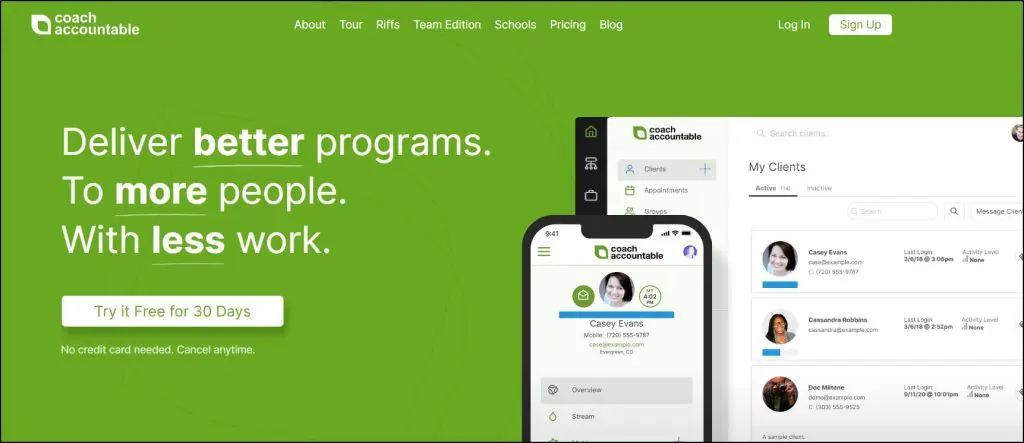
What stands out to me about CoachAccountable is how it turns coaching into a structured process. If your approach is structured and results-driven, this platform gives you the tools to back that up.
You can assign action items, track progress, and automate client check-ins without chasing anyone. That’s a huge win when you’re juggling multiple clients.
Compared to something like Paperbell, which focuses more on simplicity and aesthetics, CoachAccountable leans into depth.
It’s not the prettiest interface, but the functionality runs deep, especially if you care about accountability, outcomes, and keeping coaching organized.
CoachAccountable centers on structured 1-on-1 and group coaching, with courses, group courses, and group discussions alongside its accountability tools. Compare how it organizes those activities with Upcoach to see which fits your coaching approach.
Its metrics and action plans are especially useful for tracking long-term client goals. Everything, including session notes, metrics, content, and communications, lives in one client view.
It makes you look more professional, and it saves hours of manual follow-up. CoachAccountable also markets itself as free of AI features, which some coaches with privacy-sensitive clients will see as a plus.
This isn’t the tool I’d pick for a brand-new coach or someone who wants modern design. But if you’re serious about client outcomes and systems, it’s one of the most powerful tools out there.
Key CoachAccountable Features
- Action Plans: Assign tasks between sessions, with automated follow-up
- Metrics Tracking: Track client goals, habits, or KPIs visually
- Scheduling: Built-in calendar with reminders and timezone support
- Client Engagement Tools: Forms, worksheets, and progress check-ins
- Mobile Access: Fully accessible from any browser, with no app to install
- Team Features: Unlimited coach and admin accounts, client assignment, and permissions at no extra cost
- Custom Branding: Add your logo, colors, and messaging
- Integrations: Zapier, Google Calendar, Stripe, and more
- Courses: Deliver content on a set schedule or self-paced, with drip timing
- Video Calls: No native video. Sessions run through Zoom, Microsoft Teams, or Google Meet integrations
CoachAccountable Pricing Plans
CoachAccountable prices by active clients, billed monthly, with no annual discount. You can deactivate and reactivate clients without losing access to their data.
| Plan | Billed monthly | Key limits |
|---|---|---|
| Starter | $20 | 2 active clients |
| Level 1 | $40 | 5 active clients |
| Level 2 | $70 | 10 active clients |
| Level 3 | $120 | 20 active clients |
| Level 3.5 | $200 | 35 active clients |
| Level 4 | $250 | 50 active clients |
| Level 4.5 | $340 | 75 active clients |
| Level 5 | $400 | 100 active clients |
| Level 5.5 | $600 | 150 active clients |
| Level 6 | $800 | 200 active clients |
| Level 7 | $2,000 | 500 active clients |
| Level 8 | $4,000 | 1,000 active clients |
Every level includes the full feature set and unlimited coach and admin accounts. CoachAccountable charges no transaction fees, since payments go through your own Stripe, Square, or PayPal. You also get a 30-day free trial with no credit card required.
Pros and Cons
| Pros | Cons |
| Helps you track progress and show tangible client results | Interface feels outdated compared to modern tools |
| Action plans and metrics make coaching outcomes visible | Can be overwhelming if you don’t need advanced tracking |
| Flexible plans for solo coaches and teams | No native email marketing or funnel tools |
| Unique group features like group metrics and shared goals | Lacks a polished, all-in-one branded site experience like Paperbell |
Verdict: Once you get over the initial learning curve, CoachAccountable is a serious platform for structured coaches who want to deliver measurable, high-impact results.
Rating: 8.7/10
Why not a perfect 10/10? It’s not beginner-friendly, the design and UX feel clunky, and it’s not built for coaches who want to combine course delivery, community, and marketing in one sleek interface.

7. CoachVantage
If you’re a solo coach or small team focused on client delivery, not funnels, ads, or list-building, CoachVantage offers a focused set of coaching tools.
You get a full coaching workflow, with program pages, contract signing, payment collection, onboarding forms, scheduling, and a branded client portal, all automated. Clients can enroll, sign, pay, and book their first session in one smooth flow.
Compared to CoachAccountable, which dives deep into analytics and client metrics, or Upcoach, which adds curriculum and check-ins, CoachVantage hits the sweet spot for coaches who want a clean, modern interface with just the right amount of structure.
CV Meet, its built-in video call tool, makes it easy to run, record, and share coaching sessions. It covers 8 hours of calls a month on Clarity and 16 on Aha!, so it can replace Zoom for a light-to-moderate schedule. What I really like is how automation rules let you send forms, notes, or resources before or after sessions, so you don’t have to remember.
But it’s not perfect.
There’s no built-in email marketing or visual funnel builder. For client accountability, you can track goals and assignments, share notes, and view aggregated form responses in charts. If you need detailed outcome reporting across clients, check that its reports cover the measures you use.
Included resource-library storage is 500MB on Clarity and 1GB on Aha!, and you can purchase more. Client uploads count toward this allowance. CV Meet recordings have a separate storage allowance. For large uploaded videos or document collections, you can use Google Drive or Dropbox and share links inside the platform.
Still, for session-based coaching and a great client experience, it’s hard to beat. Keep in mind that CoachVantage supports one coach per account for now, so a coaching team will need another tool until its announced team plan arrives.
Key CoachVantage Features
- 1:1 & Group Coaching Programs with onboarding flows
- CV Meet: Built-in video with recording (8 or 16 hours a month by plan, extra hours $6 per 10)
- Automated Client Enrollment: Intake forms, contracts, payments
- Coaching Portal: Shared notes, resources, goals, session tracking
- Scheduling with calendar sync, reminders, and policies
- Session-by-session or package-based billing with Stripe or PayPal
- Group Coaching Programs, with cohorts on the Aha! plan
- Resource Library + Coaching Logs for session history
- Automation Rules to trigger files, forms, and notes by session timing
- Branding across the portal, invoices, emails, and client pages
- Vanta AI assistant: Drafts program descriptions, course outlines, and marketing copy
CoachVantage Pricing Plans
CoachVantage offers a 14-day free trial with no credit card required. It has two plans, and yearly billing saves about 10%.
| Plan | Billed monthly | Billed annually (per month) | Key limits |
|---|---|---|---|
| Clarity | $39 | $35 | 2 group programs, 2 program pages, 4 e-signatures/mo, 500MB storage |
| Aha! | $59 | $53 | Unlimited groups, program pages and e-signatures, 1GB storage |
| Feature | Clarity | Aha! |
|---|---|---|
| Contacts and coaching engagements | Unlimited | Unlimited |
| Group coaching programs | 2 | Unlimited |
| Cohorts within groups | ✗ | ✓ |
| 1:1 program sales pages | 2 | Unlimited |
| Booking pages | 2 | Unlimited |
| E-contract signatures | 4 per month | Unlimited |
| Contract templates | 2 | 5 |
| Online courses | 2 | 5 |
| File storage | 500MB | 1GB |
| CV Meet built-in video | 8 hrs/mo | 16 hrs/mo |
| CV Meet recording storage | 2GB | 4GB |
| Invoices, Stripe and PayPal | ✓ | ✓ |
| Zoom, Google Meet, calendar sync | ✓ | ✓ |
| Coach seats | 1 | 1 |
Both plans include unlimited contacts and invoices, Stripe and PayPal payments, automations, the full client portal, and CV Meet recording (2GB on Clarity, 4GB on Aha!). CoachVantage lists two courses on the Clarity plan card but one in its comparison table, so confirm the course allowance before subscribing.
CoachVantage Pros and Cons
| Pros | Cons |
| CV Meet covers 8 to 16 hours of calls a month without Zoom | No built-in email marketing or sales funnel tools |
| Clean client onboarding with contracts, payment, and scheduling in one flow | Limited group interaction (no threaded discussions or DMs) |
| Coaching automations tied to session timing | Check reporting depth if you need detailed outcome comparisons across clients |
| Works well across solo and group coaching models | Included resource-library storage is up to 1GB, with paid expansion available; Clarity caps e-signatures at 4 a month |
Verdict: CoachVantage is ideal if you want smooth coaching delivery and a clean client experience without marketing complexity.
Rating: 8.5/10
8. Simply.Coach
Simply.Coach is clearly built with executive and leadership coaching in mind.
If you coach professionals, run programs inside companies, or offer high-ticket engagements with multiple stakeholders involved, it gives you the kind of structure and polish you need to deliver at that level.
You get a branded client portal, pre-built onboarding workflows, coaching journeys, progress tracking, and a way to loop in sponsors or managers for feedback, all in one system. Most tools don’t offer that. Paperbell or Satori, for example, handle 1-on-1 coaching well but don’t support team-based coaching or 360° feedback.
That said, Simply.Coach may feel more complex than you need if you only want basic booking and payments.
Simply.Coach supports group coaching and client collaboration, but it is not a course platform or a community-feed platform. It also offers email integration for client and prospect communication. For a full course library, a community feed, or advanced email nurture campaigns, you may need additional tools.
Also, the interface takes some getting used to. It’s powerful, but it’s not the most intuitive setup, especially when building out custom journeys or digging into client analytics.
You’ll probably spend a few hours watching tutorials and customizing flows to fit your own practice.
Still, for client delivery, it’s solid.
You can create session templates, send automated pre/post-work, assign goals, and even track client satisfaction ratings. The Showcase Page feature (a branded public page with testimonials and booking links) is a nice touch, especially for coaches who don’t have a website yet.
But the best use case remains executive coaching, especially when you need to keep notes, resources, and results organized across several stakeholders.
Key Features in Simply.Coach
- Client Portal: Branded dashboard for each client with notes, goals, and files
- Coaching Journeys: Pre-set flows with automated onboarding, contracts, check-ins
- 360° Feedback: Collect stakeholder input on coaching progress
- Session Templates: Create repeatable agendas or workflows for different client types
- Goal Tracking: Assign and track progress across sessions
- Scheduling: Built-in calendar with Zoom, Teams, and Google Meet support
- Showcase Page: Create a public coaching profile without building a full website
- Security: SOC2, HIPAA (with a BAA), and GDPR compliant, with enterprise-level access controls
- Mobile App: Included on every plan
Simply.Coach Pricing Plans
You get a 14-day free trial with no credit card required. Pricing scales by the number of active clients, and annual billing saves up to 52%.
| Plan | Billed monthly | Billed annually (per month) | Key limits |
|---|---|---|---|
| Starter | $19 | $9 | 3 active clients, 1 program, 1GB storage |
| Essentials | $39 | $29 | 7 active clients, 3 programs, 10GB storage |
| Growth | $59 | $49 | 30 active clients, 10 programs, 50GB storage |
| Leap | $89 | $69 | Unlimited clients and programs, 100GB storage |
| Feature | Starter | Essentials | Growth | Leap |
|---|---|---|---|---|
| Active clients | 3 | 7 | 30 | Unlimited |
| Reusable programs / journeys | 1 | 3 | 10 | Unlimited |
| Contract templates | 1 | 3 | 10 | Unlimited |
| Storage | 1GB | 10GB | 50GB | 100GB |
| Calendar connections | 1 | 1 | 3 | 3 |
| Coaching | ||||
| 1:1 and group/team coaching | ✓ | ✓ | ✓ | ✓ |
| Stakeholder management | ✓ | ✓ | ✓ | ✓ |
| Pre, mid and post engagement assessments | ✓ | ✓ | ✓ | ✓ |
| Digital contracts with e-signature | ✓ | ✓ | ✓ | ✓ |
| Recurring sessions | ✗ | ✗ | ✓ | ✓ |
| Zoom, Teams, Meet, Webex | ✓ | ✓ | ✓ | ✓ |
| Mobile app | ✓ | ✓ | ✓ | ✓ |
| HIPAA BAA and SOC2 report | ✓ | ✓ | ✓ | ✓ |
| Branding | ||||
| Custom logo | ✗ | ✗ | ✓ | ✓ |
| White-labelled portal and custom domain | ✗ | ✗ | ✗ | ✓ |
| Complimentary onboarding | ✗ | ✗ | ✓ | ✓ |
Stakeholder management, digital contracts, and the mobile app come with every plan. Simply.Coach supports invoicing and payment collection through Stripe. Its invoicing page advertises automated invoicing, although the pricing comparison still marks automated invoices as coming soon. Confirm the automation available on your chosen plan before subscribing. Text notifications cost extra, and Simply.Coach doesn’t refund mid-month cancellations.
Simply.Coach Pros and Cons
| Pros | Cons |
| Built for serious, high-trust coaching (especially executive or B2B) | May be more complex than needed for basic booking and payments |
| Stakeholder features are rare and useful, and they come with every plan | No course builder or community feed; email integration is not a full marketing suite |
| Branded client portal and workflows are polished | Interface feels heavy compared to Paperbell or Satori |
| Strong automation for onboarding and post-session follow-up | Payment collection uses Stripe; confirm invoice automation for your plan |
| SOC2, HIPAA, and GDPR compliance plus a mobile app on all plans | Client caps are tight on the two lower plans (3 and 7) |
Verdict: If you run a structured coaching practice that works with companies or senior professionals, Simply.Coach offers excellent delivery tools. It also supports solo and group coaching. Its limits matter more if you want to sell courses, build a community feed, or run advanced marketing campaigns from the same platform.
Rating: 8.8/10
Why not a perfect 10? Strong for structured coaching delivery, but coaches who also need a course library, community feed, or advanced marketing tools will need other software.
9. Simplero
If you want serious coaching tools and pro-level marketing automation in one login, Simplero is a rare find. Unlike Kajabi, which favors creators selling courses, or Upcoach, which centers coaching delivery, Simplero blends both worlds.
You can build 1:1 or group coaching programs with structured content, gated client areas, calendar scheduling, and an integrated community.
Sessions can be part of full coaching pipelines that include custom forms, access rules, drip content, and personalized automations.
There’s no native habit tracker, but triggers based on behavior (like session completion or course progress) allow coaches to build accountability flows and engagement journeys.
The standout here is marketing. Simplero replaces tools like Kit and ClickFunnels with visual automation builders, conditional email sequences, upsells, affiliate tracking, and sales funnels, all native. Upsells, affiliates, and SMS start on the Scale plan.
It beats Kajabi for coaches who need deeper automations and more flexibility in building client journeys. And while Upcoach still wins on team-based coaching delivery, Simplero gives you stronger tools to attract, convert, and re-engage clients over time.
Simplero Pricing Plans
Simplero offers a 14-day free trial with every feature unlocked, though trial accounts can send only 10 emails a month and no text messages. You also get a full refund in your first 30 days. Every plan includes courses, coaching tools, marketing automation, unlimited email sends, and landing pages, with 0% transaction fees.
| Plan | Billed monthly | Billed annually (per month) | Transaction fee | Key limits |
|---|---|---|---|---|
| Starter | $70 | $59 | 0% | 10 products, 10 courses, 2 sites, 500 contacts, 250GB |
| Scale | $179 | $149 | 0% | Unlimited products and sites, 1,000 contacts, 1TB, 3 scheduling users |
| Skyrocket | $299 | $249 | 0% | Unlimited products, 5,000 contacts, unlimited storage, 25 scheduling users |
| Feature | Starter | Scale | Skyrocket |
|---|---|---|---|
| Products and courses | 10 / 10 | Unlimited | Unlimited |
| Sites and communities | 2 | Unlimited | Unlimited |
| Contacts | 500 | 1,000 | 5,000 |
| Storage | 250GB | 1TB | Unlimited |
| Scheduling users | 1 | 3 | 25 |
| Email sends | Unlimited | Unlimited | Unlimited |
| AI monthly usage budget | $5 | $15 | $30 |
| Transaction fee | 0% | 0% | 0% |
| Affiliate program | ✗ | ✓ | ✓ |
| Upsells and downsells | ✗ | ✓ | ✓ |
| Text messages (per segment) | ✗ | ✓ | ✓ |
| Help desk | ✗ | ✓ | ✓ |
| AI transcripts and subtitles | ✗ | ✗ | ✓ |
| Custom AI bot, deals and pipelines, split tests | ✗ | ✗ | ✓ |
| Remove Simplero branding | Annual billing only | ✓ | ✓ |
Every plan includes an AI usage allowance for features such as audio and video transcription: $5 on Starter, $15 on Scale, and $30 on Skyrocket, refreshing every 30 days. You can buy top-ups if needed. SMS on Scale and Skyrocket is charged separately per segment, with rates varying by country and provider.
Annual billing saves about 17%. Simplero specifies 30-day monthly billing cycles and 360-day annual billing cycles. You can add contacts and storage without changing plans, and Simplero offers paid concierge setup if you want help building.
Simplero Pros and Cons
| Pros | Cons |
| Native funnels, email automation, and upsells in one login | Branded mobile app costs extra |
| AI transcription on every plan; custom AI bots on Skyrocket | Learning curve is steeper than Paperbell or Podia |
| Integrated affiliate management with recurring commissions (Scale and up) | Contact limits are low for the price (500 on Starter) |
| Built-in SMS for reminders and client check-ins (Scale and up) | Lacks habit tracking and shared journaling tools |
| 0% transaction fees on every plan | Affiliates, upsells, and split tests need higher plans |
Verdict: Get Simplero if you’re scaling a coaching business and need strong marketing tools in the same login as your coaching. It’s a poor fit if you only need session tracking or run therapy-style practices.
Rating: 8.6/10
Why not a perfect 10? Missing advanced coaching-specific UX like shared notes, habit logs, or session feedback tools.
Not sure how to price your online coaching offer? Use our pricing calculator
All-In-One Platforms with Online Coaching Features
All-in-one platforms with online coaching features are a good way for coaches to simplify their businesses and provide a better experience for their clients. These platforms offer a variety of tools and features that can help coaches manage their schedules, deliver coaching sessions, track client progress, and more.
Coaches can also enhance their offerings by using all-in-one platforms to create self-guided online classes and even selling physical products.
10. Kajabi
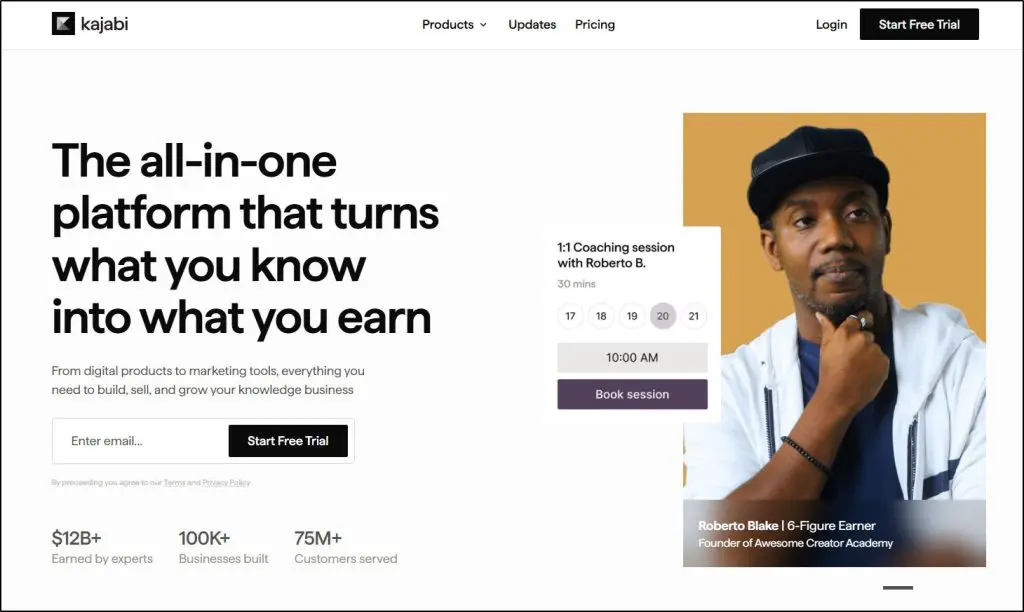
If you want to build a full coaching business around an audience, Kajabi brings a broad set of sales, marketing, and delivery tools under one roof.
It replaces your email marketing tool, funnel builder, lead magnet system, newsletter platform, and even your community space.
That means you spend less time duct-taping tools together, and more time growing your audience and turning them into clients.
Kajabi’s coaching features include the ability to sell 1:1 or group coaching packages, schedule sessions, share resources, track homework, and even host live video calls without needing Zoom or Calendly.
It’s a strong offering, but it’s not a dedicated coaching platform like CoachAccountable or Upcoach.
Here’s where it falls short if you’re using it just for coaching:
- Session-level progress tracking, agendas, and notes are included, but they are not the same as a dedicated system for measuring coaching goals and outcomes.
- No built-in CRM-style tagging for coaching stages (like lead → client → alumni) unless you build that manually through automation
- Clients can add session notes, but dedicated journaling, mood tracking, and habit logs are not the focus of the coaching workspace
- For measurable coaching outcomes, check whether its session-level tracking covers the goals and reports you need
If your business relies heavily on measurable goals, recurring check-ins, and detailed outcome reports, compare Kajabi’s session tools carefully with dedicated coaching platforms before choosing it.
But if you’re building a business where coaching is one income stream among courses, digital products, and memberships, then Kajabi is a no-brainer.
So, should you buy Kajabi just for coaching? Not really.
Kajabi costs far more than a dedicated coaching tool, so it’s a poor buy if all you need is scheduling and session tracking. You’ll get more coaching-specific features with tools like Satori or CoachAccountable.
But if you’re already spending money on tools like Kit, Leadpages, and Circle, switching to Kajabi could replace all of them with one login, and that’s where it starts making sense.
Key Coaching Features In Kajabi
- Sell single or multi-session packages (1:1 or group)
- Built-in video calls, no Zoom needed
- Session notes, task assignment, and resource sharing
- Automated follow-ups and email reminders
- Group coaching and cohort-based learning support
- Branded mobile app for clients (included on Pro)
Kajabi Pricing Plans
Kajabi offers an exclusive 30-day free trial with our referral link. After that, you pick one of the paid plans below. Payment-processing fees apply. Where Kajabi Payments is available, using another payment provider can also incur a Kajabi fee of 2% on Basic, 1% on Growth, or 0.5% on Pro, in addition to the provider’s fees. PayPal is excluded from this additional fee, as is Kajabi Payments. The additional fee does not apply in regions where Kajabi Payments is unavailable.
| Plan | Billed monthly | Billed annually (per month) |
|---|---|---|
| Basic | $179 | $143 |
| Growth | $249 | $199 |
| Pro | $499 | $399 |
| Feature | Basic | Growth | Pro |
|---|---|---|---|
| Products (courses, coaching, downloads) | 5 | 50 | Unlimited |
| Contacts | 2,500 | 25,000 | 100,000 |
| Communities | 1 | 1 | 3 |
| Websites | 1 | 1 | 3 |
| Admin users | 2 | 11 | 26 |
| AI credits | 0 | 500 | 1,000 |
| Cohort courses | ✗ | ✓ | ✓ |
| Affiliate program | ✗ | ✓ | ✓ |
| Advanced automations & webhooks | ✗ | ✓ | ✓ |
| Remove Kajabi branding | ✗ | ✓ | ✓ |
| Custom code editor | ✗ | ✗ | ✓ |
| API access | ✗ | ✗ | Yes ($25/mo value) |
| Branded mobile app | ✗ | ✗ | Included ($199/mo value) |
| Kajabi Payments fee | 2.9% + $0.30 | 2.8% + $0.30 | 2.7% + $0.30 |
| Fee with 3rd-party gateway | 2% | 1% | 0.5% |
Kajabi Pros & Cons
| Pros | Cons |
| Replaces 4–5 tools (email, sales funnel, newsletter, video host) in one | Session-level tracking is less suited to detailed coaching outcome measurement |
| Beautiful branded client experience on both desktop and mobile | Client notes are available, but dedicated habit and mood logs are not the focus |
| Seamless upsells from coaching to courses, membership, or community | No built-in CRM logic for coaching lifecycle stages |
| Automated replays & coaching session recordings saved to library | Specialized coaching workflows may require additional setup |
| No additional third-party provider fee when using Kajabi Payments or PayPal (payment-processing fees still apply) | Steep price if you’re only doing coaching without audience building |
Verdict: Kajabi is best for coaches who need world-class audience-building features along with fundamental coaching capabilities. It isn’t worth paying for only for its coaching features.
Rating: 8.0/10
Why not 10 out of 10? Coaching workflows and client tracking are basic compared to Upcoach and CoachAccountable.

Read our detailed Kajabi Coaching review to learn more.
11. Podia

If Kajabi feels overkill or overpriced, Podia might hit the sweet spot, especially for solo coaches who want to sell sessions, build an email list, and grow a simple digital product business without duct-taping ten tools together.
Podia gives you coaching + audience-building tools in one place. You can sell 1:1 sessions or coaching packages, create landing pages and lead magnets, send newsletters and automations, and track purchases, all without needing Kit, Leadpages, or a separate course platform.
Compared to Kajabi, Podia’s interface is easier to learn and quicker to set up. Its built-in email marketing is simpler and surprisingly powerful for segmenting by product purchases and automating campaigns. You even get a full website, blog, and course/membership tools included.
But how does it hold up just for coaching?
Podia lacks:
- Pre-session forms or custom client intake workflows
- Progress tracking or goals dashboard per client
- Structured session notes or templates
- CRM-style lifecycle tagging for coaching clients
- Client-side engagement tools like journals or feedback forms
So while it can deliver coaching, it’s not designed for in-depth client management like Upcoach.
You can track sessions and deliver resources, but you’ll have to create your own structure and accept fewer coaching-specific insights. For a closer look at the platform, read my Podia review or my Podia vs Kajabi comparison.
Key Coaching Features in Podia
- Sell single sessions or coaching bundles
- Offer group coaching with signup caps and access limits
- Connect an external scheduler for bookings and add resource links
- Bundle coaching with courses or downloads
- Video hosting for lessons, with Zoom, Google Meet, or another meeting tool for live calls
- Full website + blog + product landing pages included
- Robust email platform: automations, tags, segmentation, product-triggered campaigns
Podia Pricing Plans
Podia no longer offers a free plan. You get a 14-day free trial, after which you pick one of its three paid plans.
| Plan | Billed monthly | Billed annually (per month) | Transaction fee | Key limits |
|---|---|---|---|---|
| Mover | $49 | $42 | 5% | 100 subscribers, 50 products, 25 spaces |
| Shaker | $99 | $84 | 0% | 500 subscribers, 150 products, 100 spaces |
| Earthquaker | $179 | $150 | 0% | 1,000 subscribers, unlimited products and spaces |
| Feature | Mover | Shaker | Earthquaker |
|---|---|---|---|
| Transaction fee | 5% | 0% | 0% |
| Email subscribers at base price | 100 | 500 | 1,000 |
| Customers | Unlimited | Unlimited | Unlimited |
| Products | 50 | 150 | Unlimited |
| Videos | 500 | 1,000 | Unlimited |
| Community spaces | 25 | 100 | Unlimited |
| Assistants (team seats) | 0 | 1 | Unlimited |
| Affiliate marketing | ✗ | ✓ | ✓ |
| Upsells | ✗ | ✓ | ✓ |
| PayPal | ✗ | ✓ | ✓ |
| Zapier | ✗ | ✓ | ✓ |
| Included on every plan | |||
| Courses, downloads, coaching, events | ✓ | ✓ | ✓ |
| Website, blog, custom domain | ✓ | ✓ | ✓ |
| Sales tax handling (230 countries) | ✓ | ✓ | ✓ |
| Email & chat support | ✓ | ✓ | ✓ |
Pros & Cons of Podia
| Pros | Cons |
| Much easier to set up than Kajabi or CoachAccountable | No pre-session forms or client check-ins |
| Email platform is powerful, clean, and built-in | No client progress tracking or session analytics |
| Works well if you’re mixing coaching, courses, and memberships | Embedding video tools (like Zoom) adds a layer of friction |
| Affordably replaces Kit, Gumroad, and Leadpages | No real coaching “workspace” feel, only product delivery |
| Upsells, bundles, coupons, and automations are easy to set up | CRM and lifecycle tagging require workarounds (via email tags) |
Verdict: Podia doesn’t replace a dedicated coaching platform. If you want audience-building features with basic coaching tools, though, it’s a more affordable option than Kajabi.
Rating: 7.5/10
Why not a perfect 10? Podia combines useful email marketing and product sales tools, but its coaching workspace lacks dedicated goals, session notes, and client accountability tracking.

12. Zenler
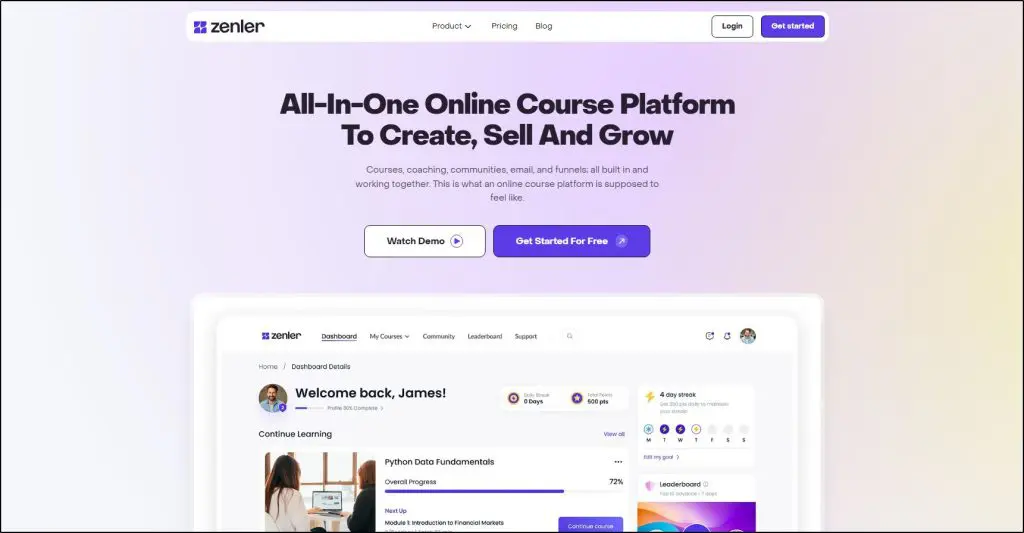
If you want coaching and courses in one platform without paying for Kajabi, Zenler is the all-in-one I’d look at first.
Zenler handles the two jobs most course platforms leave to outside tools. Clients book 1:1 sessions from your real-time availability, and calls run on Zoom built into Zenler, so you don’t juggle a separate scheduler and meeting app. Sessions sync with Google Calendar, and reminders and follow-up emails go out automatically.
Group coaching works the same way. Zenler lets you set up group cohorts with a fixed number of spots and run live classes and webinars. On the Pro plan and up, recordings save to your course library so clients can rewatch a session later.
Coaching also sits next to everything else you sell. Zenler lets you bundle coaching calls into a course, sell coaching packages with one-time or recurring billing through Stripe or PayPal, and add clients to a community where the conversation continues between calls.
On the marketing side, Zenler includes email campaigns, funnels, and automations. A purchase can start an email sequence, and a funnel can offer coaching to your course buyers. On Pro and up, the Smart Re-engagement agent emails clients who’ve gone quiet.
Compared with Teachable, which needs Calendly and Zoom for every call, Zenler books and runs sessions itself. For coaches who teach live, that makes Zenler the better course platform.
Where it falls short is client management. Zenler has no workspace for session notes, intake forms, or goal tracking, so it can’t match Upcoach or CoachAccountable on accountability. Memberships, payment plans, and recordings also start on the Pro plan, and the interface feels less refined than Kajabi’s.
Key Coaching Features in Zenler
- 1:1 bookings with real-time availability and Google Calendar sync
- Built-in Zoom for 1:1 calls, group cohorts, live classes, and webinars
- Automatic reminders, confirmations, and follow-up emails
- Coaching packages with one-time or recurring billing through Stripe or PayPal
- Coaching calls bundled into courses, with recordings saved to the library (Pro and up)
- Communities, email marketing, funnels, and automations in the same account
- AI agents that re-engage quiet clients and answer common questions (Pro and up)
Zenler Pricing Plans
Zenler offers a 30-day free trial and charges no transaction fees on any plan, though Stripe and PayPal fees still apply. Memberships, payment plans, and cloud recordings start on Pro, so most coaches should start there.
| Plan | Billed monthly | Billed annually (per month) |
|---|---|---|
| Starter | $57 | $47 |
| Pro | $117 | $97 |
| Premium | $347 | $277 |
| Feature | Starter | Pro | Premium |
|---|---|---|---|
| Transaction fees | 0% | 0% | 0% |
| Websites | 1 | 3 | 10 |
| Courses | 5 | Unlimited | Unlimited |
| Videos | 50 | Unlimited | Unlimited |
| People (students & contacts) | 500 | Unlimited | Unlimited |
| Emails per month | 5,000 | 100,000 | 500,000 |
| Communities | 1 | 20 | Unlimited |
| Marketing funnels | 2 | 100 | Unlimited |
| Live sessions | 10 | 100 | 300 |
| Live attendees | 50 | 300 | 500 |
| Memberships / bundles | ✗ | ✓ | ✓ |
| Subscriptions & payment plans | ✗ | ✓ | ✓ |
| Certificates & assignments | ✗ | ✓ | ✓ |
| Upsells & order bumps | ✗ | ✓ | ✓ |
| Affiliate marketing | ✗ | ✓ | ✓ |
| White labeling | ✗ | ✓ | ✓ |
| Custom domains | 0 | 3 | 10 |
| Instructors | 0 | 20 | 100 |
| Single sign-on | ✗ | ✗ | ✓ |
| Branded mobile app | ✗ | $197/mo add-on | $197/mo add-on |
| Advanced quizzes & surveys | ✗ | ✓ | ✓ |
| AI course & quiz creation | ✓ | ✓ | ✓ |
| AI agents (Smart Re-engagement, Support Agent) | ✗ | ✓ | ✓ |
| AI credits | None | 2,000 | 4,000 |
| Support agent messages | None | 2,000 | 4,000 |
| Gamification (streaks, points, levels, leaderboard) | ✗ | ✓ | ✓ |
| Community live chat & group chat | ✗ | ✓ | ✓ |
| Cloud recording of live sessions | ✗ | ✓ | ✓ |
| Third-party integrations & webhooks | ✗ | ✓ | ✓ |
| Concierge migration | ✓ | ✓ | ✓ |
Zenler Pros and Cons
| Pros | Cons |
| Clients book 1:1 sessions from your real-time availability | No client notes, intake forms, or goal tracking |
| Built-in Zoom runs calls without a separate meeting app | Memberships, payment plans, and recordings need Pro |
| Coaching, courses, community, email, and funnels in one login | Interface feels less polished than Kajabi |
| No transaction fees on any plan | Starter caps you at 500 people, including leads |
| Group cohorts, live classes, and webinars on every plan | Several AI agents still carry a “coming soon” label |
| AI agents re-engage quiet clients (Pro and up) | The branded mobile app costs extra |
Verdict: Zenler is the best-value all-in-one for coaches who sell courses and teach live. The platform books and runs your sessions, then keeps clients learning and talking between calls.
Rating: 7.9/10
Why not a perfect 10? Zenler has no client workspace for notes, goals, or intake forms, and its design and email tools feel basic next to Kajabi.
Read our complete Zenler review, or see how it compares in my Zenler vs Kajabi comparison.
The Best Free Online Coaching Tools for Beginners
If you’re still testing the waters, working with your first few clients, or just don’t want to commit to a paid platform yet, you can absolutely run a professional online coaching setup using free tools.
Now, it won’t be smooth.
You’ll be stitching different apps together, and managing everything will take more clicks and copy-pasting than you’d like.
But if you’re on a tight budget, this is your best path forward.
Here are the best free online coaching tools for different steps involved in setting up and delivering online coaching services.
Step 1: Book Sessions with Calendly (Free Plan)
Start by setting up a Calendly account. You define your availability, and clients can book without emailing back and forth. The free plan includes one event type and one calendar connection, so choose a discovery call or a regular coaching session as your booking type. Separate booking types require a paid plan. Connect Google Meet or Zoom to automatically add a call link.
Step 2: Collect Intake Info with Google Forms or Notion
Before your first session, you’ll want some background. Use Google Forms to ask intake questions about goals, challenges, and what they’re looking to achieve. Or use Notion to create a shared doc with prompts they can fill out directly. This makes you look professional and helps you personalize the first call.
Step 3: Host Coaching Calls with Google Meet or Zoom (Free)
For the actual coaching session, stick with Google Meet (up to 24 hours for 1:1 calls, or 1 hour with 3 or more participants on a free personal account) or Zoom (40-minute limit, free tier). Share the link via Calendly or email. Both work great and are widely trusted. Use this to deliver your live sessions, no need to pay for fancy webinar tools just yet.
Step 4: Track Progress and Share Notes in Notion
After every session, update the client’s Notion workspace. Include session notes, key takeaways, next steps, and habit tracking if needed. You can even build a simple dashboard to help them visualize progress. This becomes your shared coaching journal, easy to update and easy to follow. Notion Free allows up to 10 external guests and limits each uploaded file to 5MB, so keep those limits in mind as your client list grows.
Step 5: Share Files with Google Drive
Need to send a PDF, worksheet, or replays? Google Drive makes it easy. Create a folder for each client, upload your materials, and set permissions. This keeps all your resources organized and gives your client easy access. A free Google account includes 15GB of storage shared across Google Drive, Gmail, and Google Photos, so session recordings can use up that allowance quickly.
Step 6: Send Feedback or Lessons with Loom
Sometimes, you’ll want to explain something between sessions or send quick video feedback. That’s where Loom shines. Record your screen, add voice, and share a link for free (up to 5 minutes per video, with a 25-video limit on Loom Starter). It’s great for async support, onboarding instructions, or celebrating client wins.
Step 7: Build a Community with Facebook Groups
Giving your clients a dedicated community space to network and share ideas can make a big difference to your coaching business.
Facebook Groups can be a useful free option if your clients already use Facebook and are comfortable joining a group there.
Use Facebook Groups to host live Q&As, share motivational content, post reminders, or simply give them a space to support one another. It’s not fancy, but it works, and it makes your coaching more valuable.
Step 8: Get Paid with PayPal
Finally, you can collect payments using PayPal.Me or PayPal invoices where receiving payments is supported. Availability varies by country, and payment-processing fees apply, so this step is not completely free. Stripe or a coaching platform with integrated payments may be alternatives, depending on your location and needs.
Why Should Coaches Use An Online Platform?
Here are some of the most important benefits of online coaching:
- Reach a wider audience: Online coaching allows you to work with clients from all over the world, regardless of their location. This can help you grow your business and reach more people.
- Increase flexibility: Online coaching is more flexible than traditional coaching methods. You can work with clients from anywhere, at any time, which makes it easier for both you and your client to fit coaching into busy schedules.
- Improve efficiency: Online coaching can help you improve your efficiency by automating tasks such as scheduling, billing, and tracking progress. This frees up your time so you can focus on providing the best possible coaching experience to your clients.
- Provide a more personalized experience: Online coaching can help you provide a more personalized experience to your clients by allowing you to track their progress and tailor their coaching accordingly. This can help clients achieve their goals more quickly and effectively.
- Reduce costs: Online coaching can help you reduce your costs by eliminating the need for office space and travel. This can make coaching more affordable for clients, which can lead to increased business.
Which Is The Best Online Coaching Platform For You?
Choosing the right online coaching platform can be difficult, as it depends on your specific needs and goals. This guide should give you what you need to make an informed decision.
For a dedicated coaching platform, I’d recommend Upcoach.
If you want to sell courses as well, Zenler is an excellent option.
But if you want a complete e-learning suite with coaching, learning and marketing features, try Kajabi or Podia depedning on your budget.
Here are some factors to consider when choosing an online coaching platform:
- Your budget: Online coaching platforms can range in price from free to hundreds of dollars per month. It’s important to choose a platform that fits your budget and your needs.
- Your features: Think about what features are important to you. Do you need a platform that allows you to create and sell courses? Do you need a platform that allows you to offer coaching services? Do you need a platform with a built-in community?
- Your technical skills: Some online coaching platforms are more complex to use than others. If you’re not tech-savvy, you’ll want to choose a platform that is easy to use.
- Your level of experience: If you’re just starting out, you may want to choose a platform that offers a free trial or a low-cost plan. As your business grows, you can upgrade to a more advanced platform.
Remember, many of these coaching platforms offer free trials, providing you with the opportunity to test a coaching software without committing.
Frequently Asked Questions About Online Coaching Platforms
What is the best online coaching platform in 2026?
Upcoach is the best online coaching platform for most coaches in 2026, because it combines live sessions, tasks, check-ins, curriculum, and a program forum in one place. Satori and Paperbell suit lean 1:1 practices, Simply.Coach fits executive coaching, and Kajabi works best when coaching is one part of a larger audience business.
What is the best coaching platform for a solo coach who’s starting out?
Satori and Paperbell are the easiest places to start. Satori handles packages, onboarding, and self-scheduling for 1:1 work, while Paperbell adds a coaching website and a single buy, book, and sign flow. If you only have a few clients, the free-tool setup in this guide lets you test your offer before you pay for software.
Which online coaching platforms charge no transaction fees?
Delenta, Paperbell, Satori, CoachAccountable, and Simplero take no cut of your client payments, though Stripe or PayPal fees still apply. Kajabi adds no fee when you use Kajabi Payments or PayPal. Zenler charges no transaction fees on any plan either. Upcoach charges a fee below its Scale plan, and Podia charges one on its entry plan.
Which coaching platforms have built-in video calls?
CoachVantage includes CV Meet, its own video tool with recording, Kajabi includes built-in video calls for coaching sessions, and Zenler runs 1:1 bookings and group cohorts on its built-in Zoom. Delenta adds group video sessions from its Pro plan. Upcoach, Satori, Paperbell, CoachAccountable, and Simply.Coach connect to Zoom, Google Meet, or Microsoft Teams instead of hosting calls themselves.
What is the best platform for group coaching?
Upcoach is the strongest choice for group coaching, with cohort programs, shared tasks, and a forum inside each program. Delenta suits group sessions and multi-coach teams, and CoachVantage supports cohorts on its Aha! plan. If your groups also need courses and marketing, Kajabi and Simplero cover group coaching alongside those tools.
Which coaching platform is best for executive or corporate coaching?
Simply.Coach targets executive and leadership coaching. The platform lets you bring sponsors and managers into an engagement, collect 360° feedback, and track goals across stakeholders. Simply.Coach also offers SOC2 and HIPAA (with a BAA) compliance, which corporate clients often ask about. CoachAccountable is the runner-up for metric-heavy engagements.
Is there a free online coaching platform?
No platform on this list offers a permanent free plan for working coaches. Satori’s Scholar plan is free for students working toward a coaching certification, and Paperbell lets you build your account for free before you pay. Otherwise, you can combine free tools such as Calendly, Zoom, Notion, and Google Drive for your first few clients.
Which coaching platforms have a mobile app?
Upcoach includes a participant mobile app on every plan, and Simply.Coach includes one on all plans too. Delenta adds its app from the Premium plan, and Kajabi and Zenler give clients free apps. Paperbell, Satori, and CoachAccountable have no native app, though clients can use them in a mobile browser.
Can I sell online courses on a coaching platform?
Yes, though course depth varies. Upcoach, CoachAccountable, CoachVantage, Delenta’s Premium plan, and Coaches Console’s Total plan all include course delivery. Satori and Paperbell focus on sessions and resources instead. If courses for coaches are a big part of your business, Kajabi, Zenler, or Simplero give you stronger course and marketing tools.
Do coaching platforms work with ChatGPT or Claude?
Upcoach lets you build and run programs from Claude or ChatGPT through its MCP on every plan, and Kajabi offers the Kajabi MCP for its whole platform. CoachVantage includes Vanta, an AI writing assistant. CoachAccountable takes the opposite approach and markets itself as free of AI features, which some privacy-minded coaches prefer.

Jeff Cobb, Founder of Learning Revolution
Jeff Cobb is an expert in online education and the business of adult lifelong learning. Over the past 20+ years he has built a thriving career based on that expertise – as an entrepreneur, a consultant, an author, and a speaker. Learning Revolution is a place where Jeff curates tips, insights, and resources to help you build a thriving expertise-based business. Learn more about Jeff Cobb here.
See Also:
- Comparison Of The Best Online Coaching Platforms
- Dedicated Online Coaching Platforms
- All-In-One Platforms with Online Coaching Features
- The Best Free Online Coaching Tools for Beginners
- Step 1: Book Sessions with Calendly (Free Plan)
- Step 2: Collect Intake Info with Google Forms or Notion
- Step 3: Host Coaching Calls with Google Meet or Zoom (Free)
- Step 4: Track Progress and Share Notes in Notion
- Step 5: Share Files with Google Drive
- Step 6: Send Feedback or Lessons with Loom
- Step 7: Build a Community with Facebook Groups
- Step 8: Get Paid with PayPal
- Why Should Coaches Use An Online Platform?
- Which Is The Best Online Coaching Platform For You?
- Frequently Asked Questions About Online Coaching Platforms