

TL;DR: Circle Review: Is It The Best Online Community Platform Now?
Circle is an all-in-one community platform for creators, coaches, and membership businesses that grow through connection, not content alone. Discussions, courses, live events, payments, a website builder, and AI sit under your own brand.
Starting price: $89/month billed annually (Professional, with a 2% transaction fee)
Plan most businesses need: Business at $199/month for workflows, APIs, and no Circle branding
Trial: 14-day free trial, no credit card, plus a 30-day money-back guarantee
What it does well
– Spaces for discussions, chat, events, and courses with fine-grained access
– Live streams, live rooms, and public webinars without Zoom
– Paywalls, subscriptions, upsells, and tiered memberships
– Circle AI, workflows, and AI agents that cut admin and support work
Where it falls short
– Light course tools, with no native certificates or graded assignments
– No workflows on Professional and AI agents only from Scale
– Email marketing costs extra through Email Hub
– Branded mobile apps only on custom-priced Circle Plus
Best for: Course creators, coaches, and membership businesses where community drives retention.
Not for: Creators who need a full LMS with certificates and grading, or a cheap, simple group.
Try Circle free
AI can now produce course content faster than any of us. What it can’t produce is trust, shared experience, and the feeling of learning alongside people who get what you’re working on. For a course creator or membership owner, that human connection is now the main reason people pay you instead of a chatbot.
The hard part is scaling that connection without burning out or stitching ten tools together. Circle exists to solve that problem. Circle brings your community, courses, live events, payments, and website into one branded platform, and uses AI to handle the repetitive work so you can stay at the center.
In this review, I’ll cover what Circle does well, where each feature stops short, what the plans cost once add-ons come in, how Circle compares with Skool, Mighty Networks, and Kajabi, and who should choose it.

Circle Product Snapshot (2026)
| Category | Circle snapshot | What it means for you |
|---|---|---|
| Platform type | Community platform with courses, events, memberships, and a website builder | Community sits at the center, with courses and events around it |
| Starting price | $89/month billed annually (Professional) | Circle lists annual prices, so monthly billing costs more |
| Transaction fees | 2% on Professional, 1% on Business and Scale, 0.5% on Circle Plus | Stripe processing applies on top |
| Trial | 14-day free trial, no credit card | Enough time to build spaces and test with a few members |
| Community | Spaces for posts, chat, events, and courses, plus DMs, group chat, and a member directory | The strongest part of the platform |
| Courses | Modules, lessons, drip, quizzes, progress tracking, and cohort options | Good for community-led learning, light for formal training |
| Live | Live streams, live rooms, public webinars, and breakout rooms | Replaces Zoom for most community events |
| Payments | Paywalls, subscriptions, one-time payments, trials, coupons, upsells | Covers most membership and course pricing models |
| Automation | Workflows on Business (20) and unlimited on Scale | None on Professional |
| AI | Circle AI on every plan, AI agents and moderation from Scale | Credits cover AI, workflow tasks, and API calls |
| Email marketing | Email Hub add-on, included with 10,000 contacts on Circle Plus | An extra monthly cost on most plans |
| Mobile apps | Circle app on every plan, branded apps on Circle Plus | Your own app store listing needs custom pricing |
| Integrations | Zapier on every plan, APIs and Circle MCP from Business | Connects to most creator stacks |
| Best for | Coaches, course creators, membership and community-led businesses | Especially recurring programs |
| Not ideal for | Formal training needing certificates and grading | A dedicated LMS fits better |
Read: The best online community platforms for edupreneurs
What Is Circle?

Circle is an all-in-one platform that helps edupreneurs, coaches, and brands build communities around their courses, content, and expertise. Discussions, chat, live events, courses, payments, a website builder, email, and AI all live in one place under your brand.
Most course platforms treat community as an extra tab. Circle flips that order. Circle builds everything around spaces where members talk, learn, and meet, then layers courses, events, and paywalls on top. Creators such as Pat Flynn, Ali Abdaal, Jay Shetty, and Tiago Forte run their communities on Circle.
Circle also changed a lot in 2026. The Circle Eclipse redesign refreshed the member and admin experience and added visual learning paths for courses. Circle AI arrived in June with more than 50 specialized skills, and later releases added an AI website builder, Circle MCP for connecting AI tools, public webinars, upsells, and breakout rooms.
Circle Features at a Glance
Here’s a quick view of Circle’s main features, what each one does, and where it stops short.
| Feature | What it does | Limitation |
|---|---|---|
| Spaces | Organize posts, chat, events, and courses into public, private, or secret areas | 20 spaces on Professional and 30 on Business, with extra spaces as a paid add-on |
| Courses | Modules, lessons, drip schedules, quizzes, progress tracking, and cohorts | No native completion certificates or graded assignments |
| Live streams and rooms | Host streams, small live rooms, public webinars, and breakout rooms | Attendee and hour caps by plan, with paid add-ons beyond them |
| Paywalls and payments | Subscriptions, one-time payments, trials, coupons, upsells, and tiered access | Transaction fee from 0.5% to 2% on top of Stripe fees |
| Workflows | Automate onboarding, access, tagging, and reminders | None on Professional, 20 on Business |
| Circle AI | Plans content, builds course outlines and pages, and answers questions about your community | Credits shared with workflows, API calls, and agents |
| AI agents | Answer member questions, onboard, and moderate around the clock | Only on Scale and Circle Plus |
| Email Hub | Broadcasts, automations, forms, and segments for members and contacts | Paid add-on priced by contact count |
| Website builder | Build homepages, landing pages, and sales pages with AI help | Fewer design options than a dedicated site builder |
| Member directory and analytics | Profiles, filters, a member map, and engagement reporting | Activity scores and custom profile fields need Business or add-ons |
| Branded apps | Your own iOS and Android apps with push notifications | Only on Circle Plus at custom pricing |
| APIs and Circle MCP | Headless and Admin APIs, and AI tools like Claude or ChatGPT connected to your community | Only from Business, with request limits |
Circle Features: What Can You Do With It?
Circle packs in a lot. Here are the features that matter most for a course, coaching, or membership business, with the limits you should know about each one.
Feature #1: Spaces and Discussions
Everything in Circle happens in spaces. A space can hold discussion posts, a Slack-style chat, events, or a course, and each one can be public, private, or secret.

For a community on freelance writing, your spaces might cover job leads, writing skills, client management, and scaling a business. Group related spaces into space groups so members can find their way around.

Inside a post space, threads work like a modern forum with rich media, attachments, reactions, and comments. Chat spaces handle quick conversations, and direct messages and group chats keep members connected between posts.
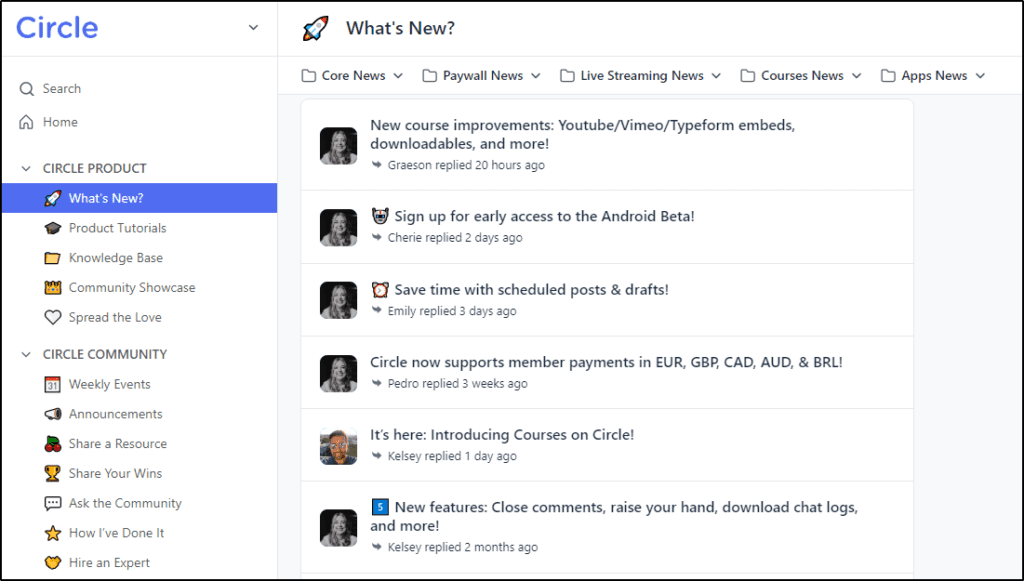
Limitation: Professional allows 20 spaces and Business 30, and extra spaces cost $20 a month per 10. Large communities with many cohorts or tiers can hit those caps faster than expected.
Feature #2: Online Courses
Choose the course space type to build a course with sections and lessons. Lessons hold video, audio, text, and files, and you can set drip schedules, add quizzes, and track student progress. Circle AI can draft a course structure from an idea or turn a recorded webinar into a course, and the 2026 redesign added a visual curriculum layout.
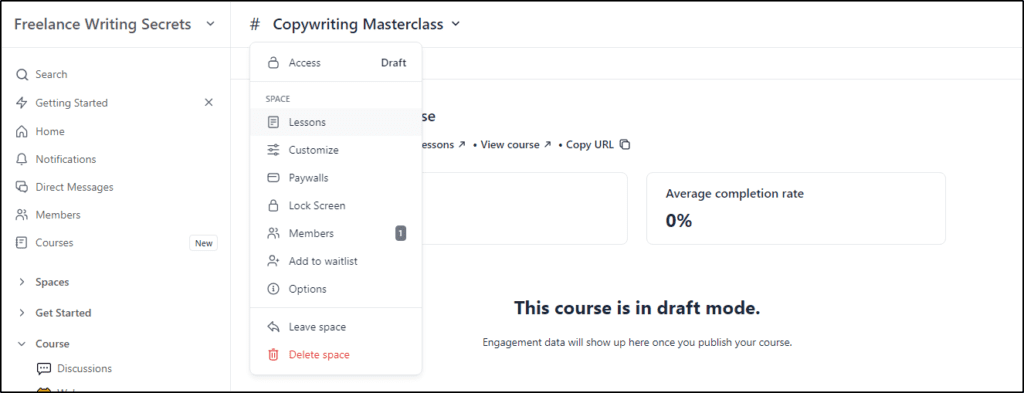
The real difference comes from courses sitting next to your community. Students can discuss lessons, join live sessions, and get help from peers in the same place they learn. Self-paced courses can also run as live cohorts.

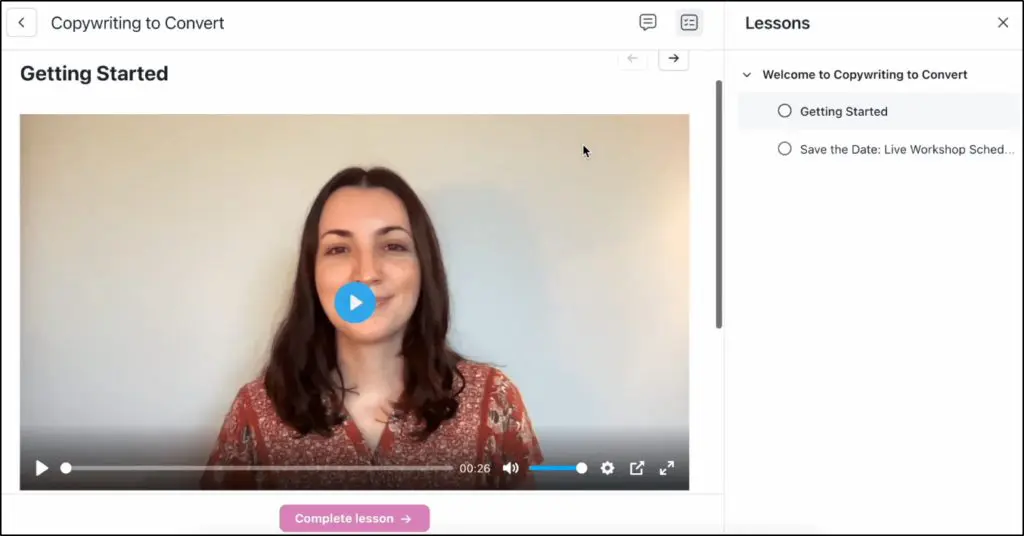
Limitation: Circle’s course tools stay light. Circle’s course page lists no completion certificates, and graded assignments with instructor review aren’t part of the toolset. Professional training and certification programs fit better on a dedicated platform like Thinkific.
Feature #3: Live Events, Streams, and Rooms
Live video is one of Circle’s strongest features. Circle gives you three formats.
- Live streams: Larger sessions such as Q&As, workshops, and webinars, now with public webinars that guests can join without an account.
- Live rooms: Small sessions where everyone can join on camera, with breakout rooms for up to 10 smaller groups.
- Events: One-time or recurring events with RSVPs, reminders, and paywalls.

Hosts can add co-hosts, bring members on stage, and share the recording in your community afterward, all without sending people to Zoom.
Limitation: Live streams allow 100 attendees on Professional, 200 on Business, and 500 on Scale. Live rooms cap at 15, 20, and 50 participants, with 10, 15, and 20 live hours a month. Extra attendees cost $20 a month per 100 and extra hours $50 a month per 10, so big events add cost.
Feature #4: Memberships, Paywalls, and Payments
Circle handles free and paid memberships through paywalls you attach to a space, a group of spaces, or the whole community. Members can pay once, pay in installments, or subscribe, and you can offer free trials, coupons, and upsells at checkout.
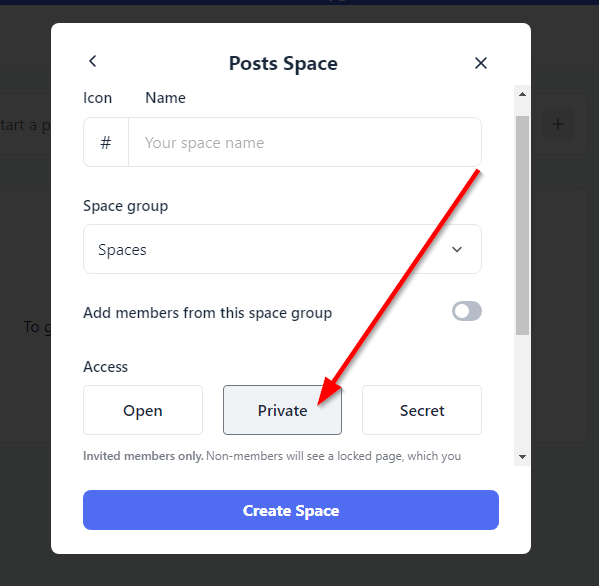
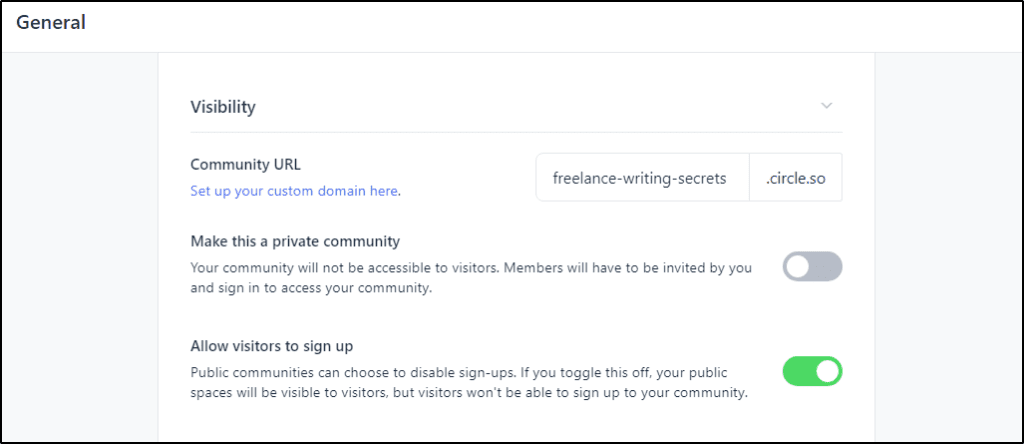
Private spaces require sign-up, and secret spaces stay invisible until you invite someone. Combine them to run free public spaces, free members-only spaces, and premium tiers in the same community.
Limitation: Circle charges a 2% transaction fee on Professional, 1% on Business and Scale, and 0.5% on Circle Plus, on top of Stripe’s processing fees. For a membership with steady revenue, that fee can outweigh the difference between plans. My guide to membership site pricing helps you set tiers that cover it.
Feature #5: Workflows and Automation
Workflows automate the repetitive work of running a community. Send a welcome message when someone joins, add members to spaces based on their plan or tags, award badges, nudge inactive members, send event reminders, and remove access when someone cancels.
The builder works on simple triggers and actions, and newer triggers cover paywall events, email opens, and link clicks in Email Hub.
Limitation: Professional includes no workflows at all, Business allows 20, and only Scale removes the limit. Workflow tasks also draw from your monthly AI credit pool. For a community with any real onboarding process, plan on Business or higher.
Feature #6: Circle AI
Circle AI, launched in June 2026, works as an assistant inside your account. Circle AI plans launches, drafts course outlines and posts, builds website pages from a prompt or an existing URL, runs SEO audits on pages, and answers questions about your members and engagement. Circle AI also remembers your goals and past conversations, and projects keep files and team work organized.

For more on the earlier generation of these tools, see my Circle Community AI review.
Limitation: Professional and Business include 2,500 AI credits a month and Scale 5,000, with extra credits at $10 per 1,000. The same pool covers AI requests, workflow tasks, API calls, and agent usage, so a busy community can burn through it.
Feature #7: AI Agents
AI agents let you build assistants trained on your courses, posts, and resources. Members can message an agent directly, meet one during onboarding, or get answers through search. Every conversation lands in a shared AI inbox, so you or your team can step in, and agents can personalize answers using member profile fields.
Circle also offers AI moderation that flags off-topic or inappropriate posts and a knowledge engine that surfaces past answers, which matters once a community grows past a few hundred active members.
Limitation: AI agents, AI moderation, the AI inbox, and AI workflows only come with Scale and Circle Plus. On Professional and Business, support and moderation stay manual.
Feature #8: Email Hub
Email Hub adds email marketing to Circle. Send broadcasts, build automations, capture contacts with forms, segment members and non-members, and track opens and clicks. Because Email Hub shares data with your community, you can email everyone who attended an event or joined a specific space in a few clicks.
Limitation: Email Hub costs extra on every plan except Circle Plus. Circle’s pricing page lists $99 a month for 10,000 contacts, with the first 30 days free. If you already use Kit or another tool, compare that cost with my roundup of email marketing platforms before you switch.
Feature #9: Website Builder
Circle’s website builder creates homepages, landing pages, and sales pages that connect directly to your memberships, courses, and checkout. Since August 2026, Circle AI can build a full page from a description and generate copy and images inside the builder.
Limitation: The builder works well for sales and landing pages but lacks the design range and content tools of WordPress. Content-heavy sites still do better with a separate WordPress site linked to Circle.
Feature #10: Member Directory and Analytics
Every Circle community includes a member directory with rich profiles and filters by location, tags, and activity. A member map shows where members live, which helps local meetups and regional groups.
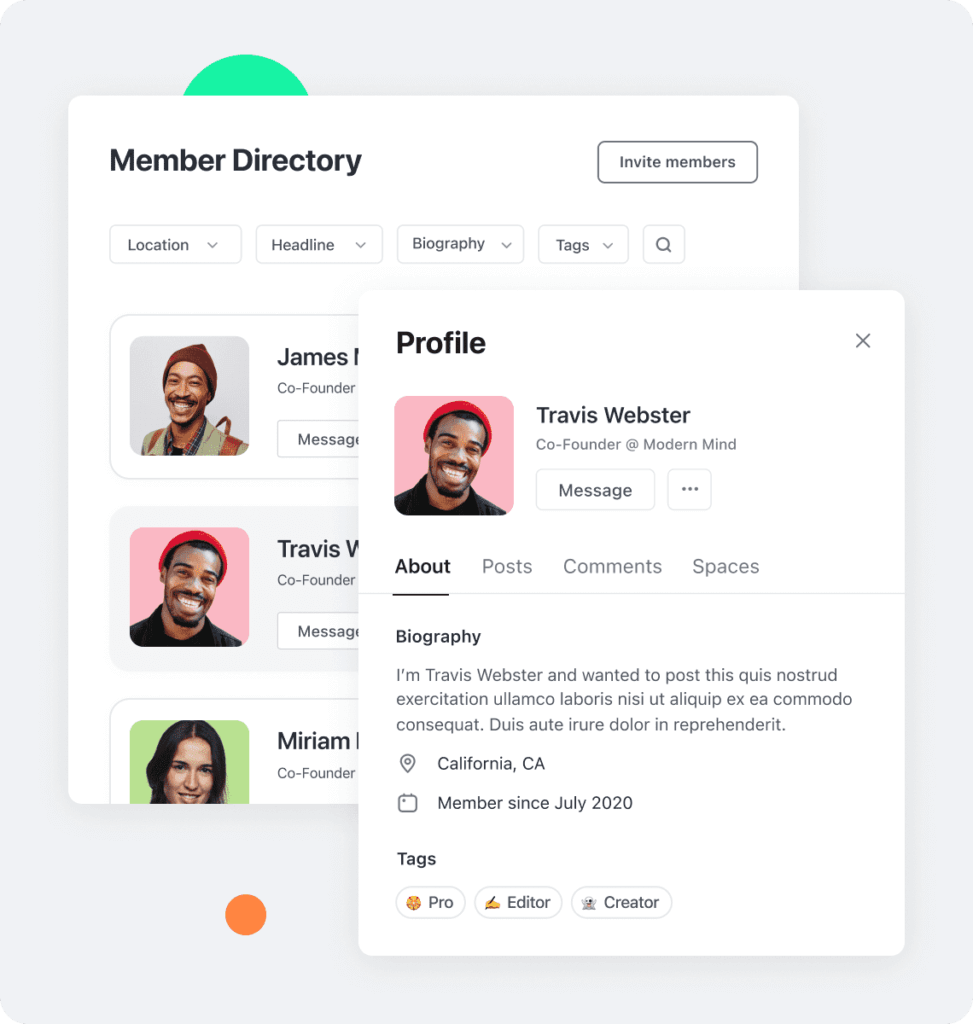
Analytics show which spaces drive activity, who’s active or drifting away, and how members engage over time. Business adds activity scores and custom profile fields.
Limitation: Reporting focuses on engagement, not learning outcomes. Custom profile fields cost $49 a month on Professional, and advanced filtering depends on your plan.
Feature #11: Branded Mobile Apps
Every plan includes the Circle app for iOS, Android, and desktop. With Circle Plus, Circle builds and runs your own branded apps in the App Store and Google Play, with custom screens, branded push notifications, and in-app payments.
Limitation: Branded apps only come with Circle Plus at custom pricing. A branded app makes sense for an established community with weekly active members, not for one still finding its audience.
How Circle’s AI Changes the Experience for Instructors and Learners
I’ve seen what happens to online learning when a community grows. The first thing that breaks isn’t the content. Response times slip, good discussions get buried, and instructors spend more time reacting than teaching.
Circle’s AI removes much of that friction without taking over. Learners get answers and relevant past discussions without waiting for the next live session, which keeps them moving instead of stalling.
On the instructor side, the shift matters even more. Instead of answering the same questions again and again, I can see where learners keep getting stuck and address those patterns in a live session, a follow-up post, or a course update. My time goes into teaching instead of repetition.
The key is that AI stays in the background. Circle’s AI supports discovery and continuity, while the instructor stays the voice learners trust. For practical ideas on the human side, see my guides on how to build a learning community and increasing online community engagement.
Circle Pricing Plans: How Much Does It Cost?
Circle offers four plans. New accounts start with a 14-day free trial with no credit card, and Circle backs every plan with a 30-day money-back guarantee. Circle’s pricing page lists annual-billing prices, so expect to pay more on monthly billing.
| Plan | Billed monthly | Billed annually (per month) | Transaction fee |
|---|---|---|---|
| Professional | – | $89 | 2% |
| Business | – | $199 | 1% |
| Scale | – | $419 | 1% |
| Circle Plus | Custom | Custom | 0.5% |
| Feature | Professional | Business | Scale | Circle Plus |
|---|---|---|---|---|
| Transaction fee | 2% | 1% | 1% | 0.5% |
| Members | Unlimited | Unlimited | Unlimited | Unlimited |
| Admins | 3 | 5 | 10 | Unlimited |
| Moderators | 10 | 15 | 100 | Unlimited |
| Spaces | 20 | 30 | 100 | Flexible |
| Storage | 200GB | 500GB | 1TB | 1TB |
| Automations (workflows) | ✗ | 20 | Unlimited | Unlimited |
| Live stream attendees | 100 | 200 | 500 | Flexible |
| Live room participants | 15 | 20 | 50 | Flexible |
| Live hours per month | 10 | 15 | 20 | Flexible |
| Circle AI credits | 2,500/mo | 2,500/mo | 5,000/mo | Negotiable |
| AI agents, moderation & inbox | ✗ | ✗ | ✓ | ✓ |
| Admin API | ✗ | 5,000 requests/mo | 30,000 requests/mo | Negotiable |
| Branded email notifications | $40/mo add-on | ✓ | ✓ | ✓ |
| Custom profile fields | $49/mo add-on | ✓ | ✓ | ✓ |
| Remove Circle branding | ✗ | ✓ | ✓ | ✓ |
| Branded iOS & Android apps | ✗ | ✗ | ✗ | ✓ |
| Support tier | Standard | Standard | Priority | Premium |
Which Circle Plan Fits?
| Plan | Best for | Key unlocks | Watch out for |
|---|---|---|---|
| Professional | A first paid community or small membership | Community, courses, events, payments, Circle AI | No workflows, 20 spaces, and a 2% fee |
| Business | Most growing course and membership businesses | 20 workflows, APIs, Circle MCP, branding removal, AI content writer | Workflow cap and no AI agents |
| Scale | Large communities that need automation and AI support | Unlimited workflows, AI agents, AI moderation, webhooks, custom SSO | A big price jump from Business |
| Circle Plus | Established brands that want their own app | Branded apps, Email Hub with 10,000 contacts, unlimited admins, dedicated success team | Custom pricing and a sales call |
Circle Add-Ons and Hidden Costs
Circle’s plan price is only part of the bill. These add-ons come up most often.
| Add-on | Cost | When you’ll need it |
|---|---|---|
| Email Hub | $99/month for 10,000 contacts (first 30 days free) | When you want email inside Circle instead of Kit or Mailchimp |
| Extra admins | $10/month per admin | Past 3 admins on Professional or 5 on Business |
| Extra spaces | $20/month per 10 spaces | When cohorts or tiers outgrow your space limit |
| Extra live attendees | $20/month per 100 attendees | For larger live streams |
| Extra live hours | $50/month per 10 hours | When you run frequent live sessions |
| Extra AI credits | $10 per 1,000 credits | When AI, workflows, and API calls exceed your monthly pool |
| Branded email notifications (Professional) | $40/month | To send notifications from your own brand on Professional |
| Custom profile fields (Professional) | $49/month | To collect member details for segmenting on Professional |
Add the transaction fee on paid memberships, and a Professional community with email and a few add-ons can cost close to Business. Run the numbers before you choose the cheaper plan.
What Is Circle Plus and Who Is It For?
Circle Plus is Circle’s top tier for established communities. The plan adds your own branded iOS and Android apps with app store listings handled by Circle, Email Hub with 10,000 contacts, unlimited admins and moderators, the highest limits, and a dedicated team for migration, onboarding, and strategy calls.
Circle Plus suits memberships, coaching programs, and communities where members return every week and a branded app can lift engagement through push notifications. Circle Plus doesn’t make sense while you’re still validating your offer or your community activity stays uneven.
Is Circle Worth the Money?
Circle’s value depends on whether community drives your revenue. For a membership or coaching business, Circle replaces a community tool, Zoom, a course host, a checkout, and a page builder, and keeps every member interaction in one place. Consolidating saves money and, more importantly, keeps members engaged, which protects recurring revenue.
For a creator who mainly sells one-time courses and doesn’t plan to engage students afterward, Circle costs more than it returns. A course platform with a built-in community, such as Thinkific Communities or Kajabi Communities, covers that need for less.
My honest read is that Business offers the best value for most community-led businesses. Professional lacks workflows, which you’ll want once onboarding matters, and Scale only pays off when AI agents and unlimited automation save real staff time.
Circle Pros and Cons
| Pros | Cons |
|---|---|
| Community, courses, live events, chat, payments, and website in one branded platform | Course tools stay light, with no native certificates or graded assignments |
| Strong community experience built for engagement beyond content delivery | No workflows on Professional, and AI agents only from Scale |
| Native live streams, live rooms, public webinars, and breakout rooms | Email marketing costs extra through Email Hub |
| Flexible paywalls with subscriptions, trials, coupons, and upsells | Transaction fees on every plan, on top of Stripe fees |
| Circle AI, AI agents, and Circle MCP reduce admin and support work | AI, workflows, and API calls all draw from one credit pool |
| Headless and Admin APIs for custom setups on Business and up | Branded apps only on custom-priced Circle Plus |
| Active customer community, onboarding, and migration help | Add-ons for admins, spaces, live hours, and attendees raise the real cost |
How Circle Supports a Course or Membership Business
Circle earns its keep when you use it to keep people close to your teaching. Here’s how course creators and coaches put it to work.
| Goal | How to set it up in Circle |
|---|---|
| Help students finish a course | Pair a course space with a discussion space and weekly live office hours |
| Run group coaching | Private space per cohort, recurring live rooms, and a workflow that adds members on purchase |
| Sell tiered memberships | Free public spaces, a paid core tier, and a premium tier with extra live access |
| Onboard new members | Welcome workflow, pinned start-here post, and the Get Started checklist |
| Re-engage quiet members | Workflow or Email Hub broadcast to members inactive for 30 days |
| Grow from free events | Public webinar or public RSVP event that adds guests as contacts for follow-up |
For more on structuring a coaching community, see my guide to building community around coaching.
Circle Headless Member API: What You Can Do With It
Circle’s Headless Member API turns Circle from a platform into infrastructure. When you want Circle to work inside a larger setup, such as your website, a SaaS product, or an internal portal, the Headless API earns its keep.
Circle still manages members, spaces, permissions, and activity, but you decide where that experience appears.
- Keep member access in sync across your website, community, and products when plans change.
- Show Circle content inside a custom dashboard on WordPress, Webflow, or your own app.
- Build one sign-up and one login that gives immediate access to the right spaces.
- Embed community and learning inside a SaaS, coaching portal, or enterprise product.
Limitation: The Headless API needs Business or higher. Business includes 100 monthly active headless users and Scale 500, with extra users at $0.50 and $0.30 each. Admin API requests run 5,000 a month on Business and 30,000 on Scale. The API also requires a developer, so most solo creators can skip it.
To get started, confirm your plan includes API access, decide what Circle manages and what your own system controls, map your member data to Circle roles and spaces, set up single sign-on, and test one small use case before you expand.
Circle Examples: Creators and Brands Using Circle
Smart Passive Income (SPI) Community
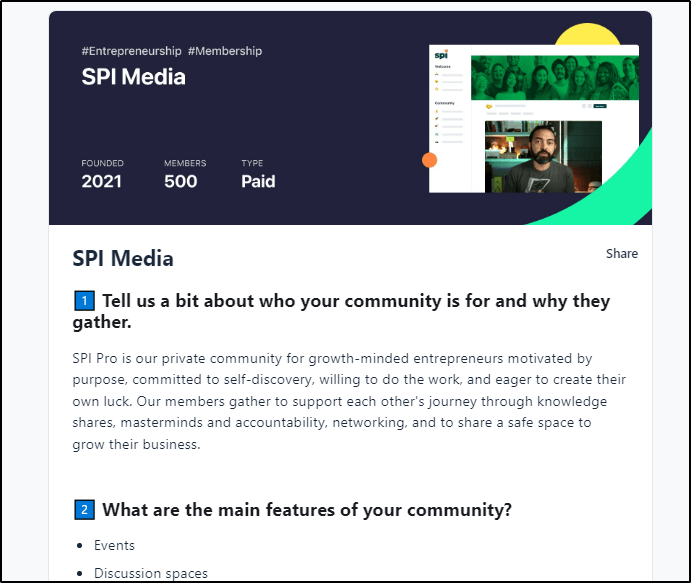
Pat Flynn’s SPI community runs on Circle as a paid space where entrepreneurs network, share ideas, and build partnerships. SPI shows how a creator with a large audience can turn followers into an engaged paid membership.
Exit Five
Dave Gerhardt’s Exit Five, a community for B2B marketers, grew on Circle into a business with more than 6,000 members, according to Circle’s customer stories. Exit Five shows how a community can become the core product rather than a bonus.
For more inspiration, browse my roundup of membership site examples.
Circle Alternatives (2026)
If Circle doesn’t fit, these alternatives cover different needs.
| Platform | Best for | Starting price | Where it beats Circle | Where it falls short |
|---|---|---|---|---|
| Skool | Simple community plus course with gamification | $9/mo (plus a 10% + 30¢ fee) | Faster setup, built-in discovery, simple gamification | No email, no workflows, and limited customization |
| Mighty Networks | Social feed-style communities and cohorts | $79/mo billed annually | Social feed-first experience, native livestreaming, quizzes and certificates on every plan | Transaction fees on every plan, less flexible structure |
| Kajabi | Course sellers who run on email and funnels | $143/mo billed annually | Email, funnels, and pipelines built in | Weaker community depth and live interaction |
| Thinkific | Education-first course businesses | $40/mo billed annually | Stronger course tools and certificates | Communities stay simpler than Circle’s |
| Heartbeat | Budget-friendly communities with events and courses | $40/mo billed annually | Lower entry price | Higher transaction fees on lower plans |
For head-to-head breakdowns, read my Skool vs Circle and Mighty Networks vs Circle comparisons, or see the full list of online community platforms.
Circle Buying Guide: Should You Choose It?
| Your situation | Best choice | Why |
|---|---|---|
| You run a paid membership or coaching program where members return weekly | Circle Business | Spaces, live events, paywalls, and workflows in one place |
| You’re launching your first paid community on a budget | Circle Professional or Skool | Low entry cost, though Professional lacks workflows |
| You run a large community and want AI to handle support and moderation | Circle Scale | AI agents, moderation, and unlimited workflows |
| You want your own branded app | Circle Circle Plus | Done-for-you app store listings and a dedicated launch team |
| You sell one-time courses through email and funnels | Kajabi | Stronger marketing tools, with community as a bonus |
| You need certificates, graded assessments, or formal training | Thinkific | Course tools Circle doesn’t offer |
| You want gamified daily engagement with minimal setup | Skool | Simpler and faster, with built-in discovery |
Verdict: Is Circle Worth Using for Community Building?
AI is replacing information-only offers fast. But AI can’t replace the trust and relationships that form in a well-run community. Circle exists to support exactly that.
Circle is a strong fit if you want to turn your audience into an active community, run coaching or group programs, sell membership tiers, or add real engagement to your courses without juggling five tools.
Choose Business for most businesses, since workflows make the difference once you grow past a handful of members.
Circle is the wrong fit if you need formal LMS features like certificates and graded assignments, if you sell a one-time course with no plan to engage students afterward, or if you’re too early to justify a monthly cost. Start with the 14-day free trial, build two or three spaces, run one live session, and decide from there. My guide on how to start an online community covers the setup steps.
Frequently Asked Questions (FAQs)
How much does Circle cost?
Circle starts at $89 a month on Professional, $199 on Business, and $419 on Scale, based on annual billing. Circle Plus uses custom pricing. Transaction fees range from 0.5% to 2%, and add-ons like Email Hub, extra admins, and live hours add to the bill.
Does Circle have a free plan or free trial?
Circle has no free plan, but every plan starts with a 14-day free trial with no credit card required. Circle also offers a 30-day money-back guarantee. Use the trial to set up a few spaces, run a live session, and invite a small group of members before you commit.
Does Circle charge transaction fees?
Yes. Circle charges 2% on Professional, 1% on Business and Scale, and 0.5% on Circle Plus. Those fees come on top of Stripe’s card processing fees. For a membership with steady revenue, the fee difference can justify moving to a higher plan.
Does Circle have quizzes and certificates?
Circle courses include quizzes, drip schedules, and progress tracking, and Circle AI can build a course outline from an idea. Circle’s course features list no completion certificates or graded assignments, so formal training and certification programs fit better on a dedicated course platform like Thinkific.
Does Circle include email marketing?
Circle offers email marketing through Email Hub, a paid add-on on every plan except Circle Plus, which includes 10,000 contacts. Circle’s pricing page lists $99 a month for 10,000 contacts, with the first 30 days free. Email Hub covers broadcasts, automations, forms, and segments.
Which Circle plan includes AI agents?
AI agents, AI moderation, the AI inbox, and AI workflows come with Scale and Circle Plus. Every plan includes Circle AI with a monthly credit allowance, and Business adds the AI content writer, automated transcriptions, and Circle MCP for connecting tools like Claude or ChatGPT.
Can Circle replace Slack or Discord for a paid community?
Yes, for structured paid communities. Circle organizes content into spaces, gates access with paywalls, keeps searchable history, and adds courses and live events. Slack and Discord suit fast, casual chat but lack built-in payments, courses, and long-term content organization, which paid members expect.
Does Circle have a mobile app?
Every plan includes the Circle app for iOS, Android, and desktop, where members access your community under Circle’s app. Branded apps with app store listings and branded push notifications need Circle Plus at custom pricing, so budget for a sales conversation.
Is Circle better for memberships or one-time course sales?
Circle delivers the most value for memberships, coaching programs, and ongoing learning, where community keeps members paying. One-time course sellers benefit less unless they add live sessions or community support. For one-time courses sold through email and funnels, Kajabi or Thinkific usually fits better.
Does Circle integrate with WordPress?
Yes. Many creators run a WordPress site for content and Circle for community. Circle supports WordPress single sign-on on every plan, embeds, and Zapier, and the Headless Member API on Business and up lets developers show Circle content inside a WordPress dashboard.
Is Circle a good fit for large organizations?
Yes. Companies use Circle for customer education, partner programs, and internal learning. Scale adds custom single sign-on, webhooks, and higher limits, and Circle Plus adds a dedicated success team, premium support, and priority migrations. Miro and Good Inside are among the organizations running communities on Circle.
Table of Contents
Related Posts
Mighty Networks vs Circle (2026): My Experience & Honest Opinion
Skool vs Circle (2026): I’ve Used Both, Here’s My Choice